Mixpanel made it easy to track user behavior beyond pageviews. But many teams are looking for alternatives that fit their budget or privacy requirements better. Whether you want a free open source option you can self-host or an affordable cloud tool, there are good alternatives in 2026.
Teams switch away from Mixpanel for a few common reasons:
Pricing shock: Mixpanel's pricing climbs quickly as your user base grows. What starts at $28/month can reach thousands once you pass the free tier. That makes budgeting hard for startups and growing companies.
Data privacy: With GDPR and CCPA, many companies need analytics tools that don't park user data on a third party's servers. Mixpanel's cloud-only model can be a compliance headache.
Vendor lock-in: Once you've invested in Mixpanel, your data, dashboards, and integrations make switching costly and slow.
Feature overload: Mixpanel has a lot of features, and many teams pay for complexity they don't need. A simpler tool focused on core analytics is often enough.
Self-hosting: Some organizations, especially in regulated industries, need analytics data on their own infrastructure. Mixpanel's cloud-only approach doesn't allow that.
This guide covers 13 Mixpanel alternatives: 7 in-depth reviews plus 6 honorable mentions. If you're also looking at web analytics tools, see our guide to open-source web analytics.
Here's a quick comparison of all 7 top alternatives:
| Tool | Type | Open Source | Self-Host | Free Tier | Paid From | Best For |
|---|---|---|---|---|---|---|
| OpenPanel | Web + Product | Yes (AGPL-3.0) | Free | 30-day trial | $2.50/mo | Affordable, privacy-first product analytics |
| PostHog | Product + More | Yes (MIT) | Free | 1M events/mo | Usage-based | All-in-one: analytics + replay + flags |
| Heap | Product | No | No | 10K sessions/mo | ~$3,600/yr | Autocapture and retroactive analysis |
| Amplitude | Product | No | No | 10M events/mo | Contact sales | Enterprise ML-powered analytics |
| Pendo | Product + UX | No | No | 500 users | Contact sales | Analytics + in-app guides + feedback |
| Matomo | Web + Product | Yes (GPL-3.0) | Free | Self-hosted free | €23/mo (cloud) | Privacy-first, GDPR-compliant analytics |
| GA4 | Web + Product | No | No | 25M events/mo | ~$50K/yr (360) | Free analytics at scale, Google stack |
Here's what matters when choosing a Mixpanel alternative, then a deep look at each tool.
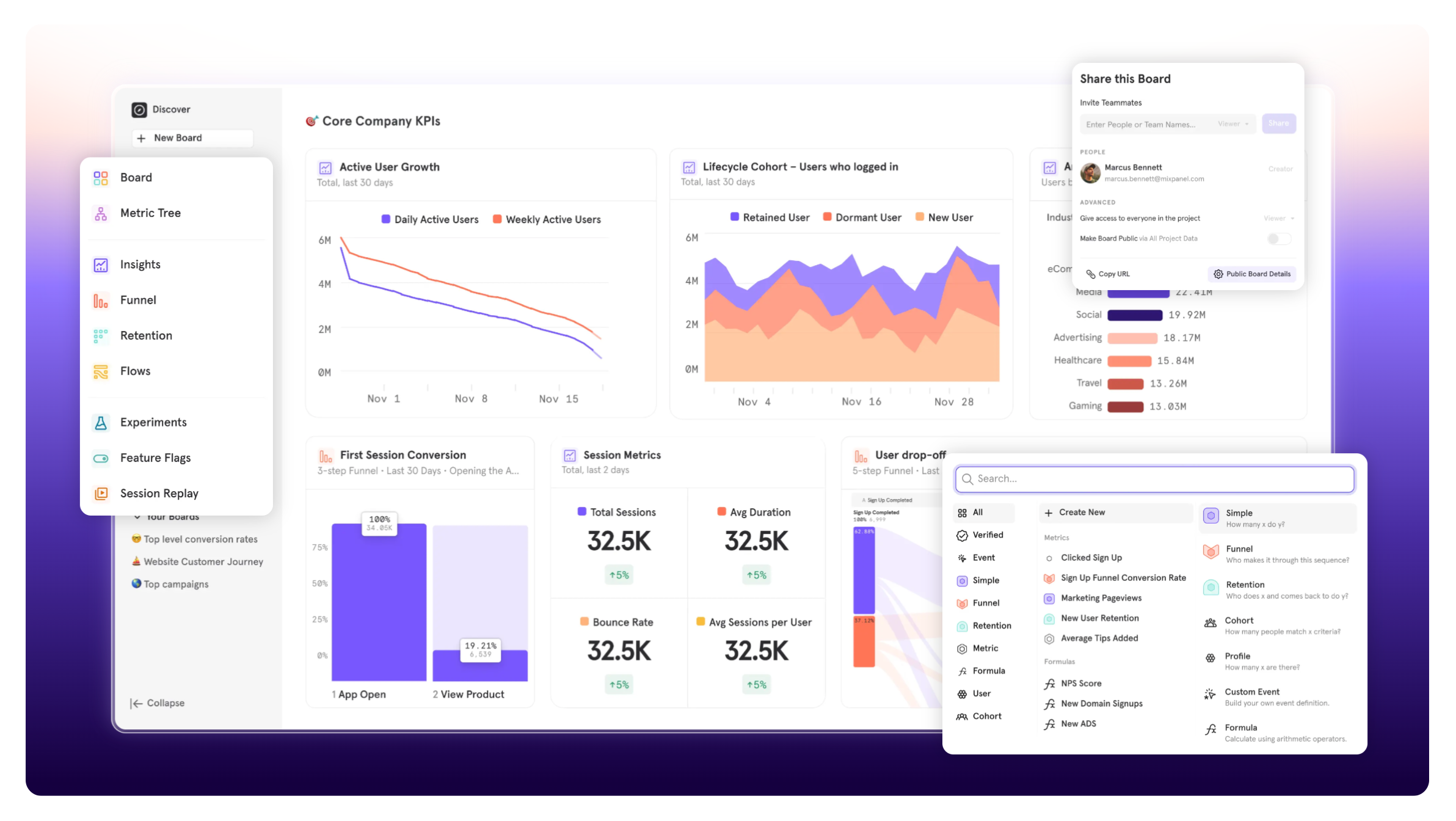
What makes a good Mixpanel alternative?
A few features are table stakes for any Mixpanel alternative:
Core product analytics features
Event tracking: The base of product analytics. Track custom events like signups, purchases, and feature usage. The tool should support event properties and user properties.
Funnel analysis: See where users drop off in multi-step flows like onboarding, checkout, or feature adoption, and where to fix conversion rates.
Retention analytics: Track how often users come back over time. Look for cohort analysis, retention curves, and segmentation by behavior.
User profiles: Individual user timelines help you debug issues, understand power users, and support customers. You should see a full history of each user's actions.
Flexible dashboards: Pre-built reports help, but you also need custom visualizations for your own questions.
Additional considerations
When evaluating Mixpanel alternatives, also consider:
- Privacy Compliance: Does it offer cookieless tracking? Is it GDPR/CCPA compliant by design?
- Pricing Model: Is it usage-based, seat-based, or flat-rate? Can you predict costs as you scale?
- Self-hosting Options: Can you run it on your own infrastructure for complete data control?
- SDK Coverage: Does it support your tech stack (web, mobile, server-side)?
- Data Export: Can you easily extract your data if you need to migrate later?
- Community Support: Is there active development and a helpful user community?
1. OpenPanel - the privacy-first alternative
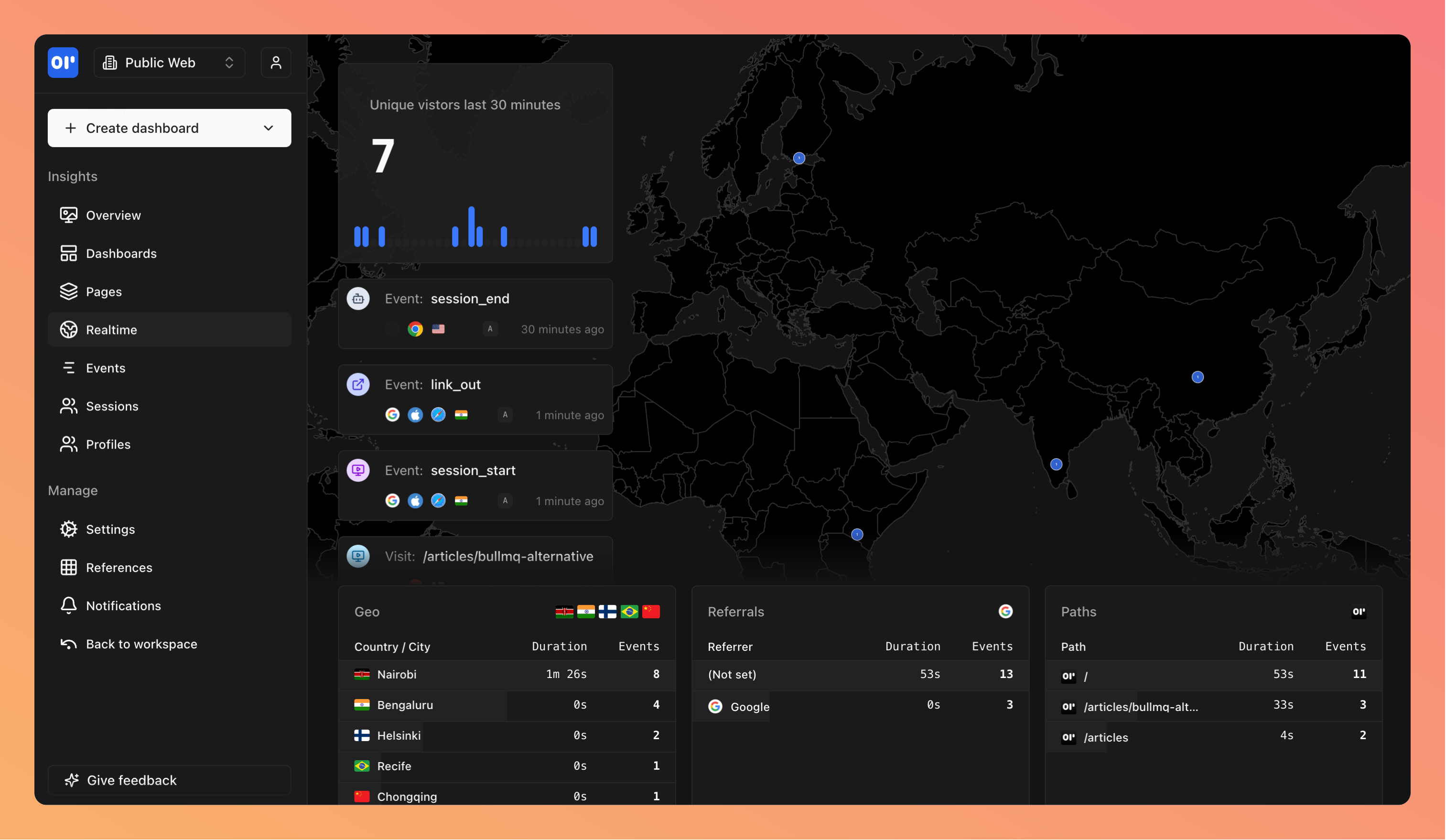
Overview
OpenPanel was built as a Mixpanel alternative for teams that want product analytics without the price tag or privacy concerns. It pairs Mixpanel-style event tracking with the simplicity of web analytics tools like Plausible or Umami.
You get both web analytics (pageviews, sessions, referrers) and product analytics (custom events, funnels, retention) in one platform, so you don't need separate tools for each.
- Homepage: openpanel.dev
- GitHub: github.com/Openpanel-dev/openpanel
- License: AGPL-3.0 (fully open source)
- Free Trial: 30 days, no credit card required
Pricing
OpenPanel uses usage-based pricing that's much cheaper than Mixpanel:
| Events per Month | Price (Monthly) | Price (Annual) | Compared to Mixpanel |
|---|---|---|---|
| Up to 5,000 | $2.50 | $25 | Free tier |
| Up to 10,000 | $5 | $50 | ~$28/month |
| Up to 100,000 | $20 | $200 | ~$89/month |
| Up to 500,000 | $50 | $500 | ~$450/month |
| Up to 1,000,000 | $90 | $900 | ~$779/month |
All plans include unlimited websites, team members, and 5 years of data retention. Self-hosting is completely free with no limitations.
Key features
Real-time Analytics: See events as they happen, no processing delays. Good for watching launches or debugging.
Custom Event Tracking: Track any user action with properties and metadata. Full support for event-based analytics with automatic event detection.
Funnel Builder: Build multi-step funnels to analyze conversion rates and see where users drop off.
Retention Analysis: Measure user stickiness with cohort retention charts. Track daily, weekly, or monthly retention.
Individual User Profiles: Drill into specific user journeys. See full event timelines for debugging or support.
Privacy by Design: Cookieless tracking, no personal data collection, GDPR/CCPA compliant out of the box.
Pros
- Cheapest Mixpanel alternative once you pass the free tiers
- Combines web and product analytics, replacing multiple tools
- Open source — self-host with no feature restrictions
- Simple interface that non-technical users can navigate
- Real-time data with no processing delays
Cons
- Newer platform with a smaller community compared to established tools
- Fewer integrations than Mixpanel (though SDK coverage is comprehensive)
- No advanced features like predictive analytics or machine learning
- Self-hosting requires technical expertise and infrastructure management
Best for
- Startups looking for affordable product analytics
- Privacy-conscious companies needing GDPR compliance
- Teams wanting both web and product analytics in one tool
- Organizations requiring self-hosted analytics solutions
2. PostHog - the all-in-one platform
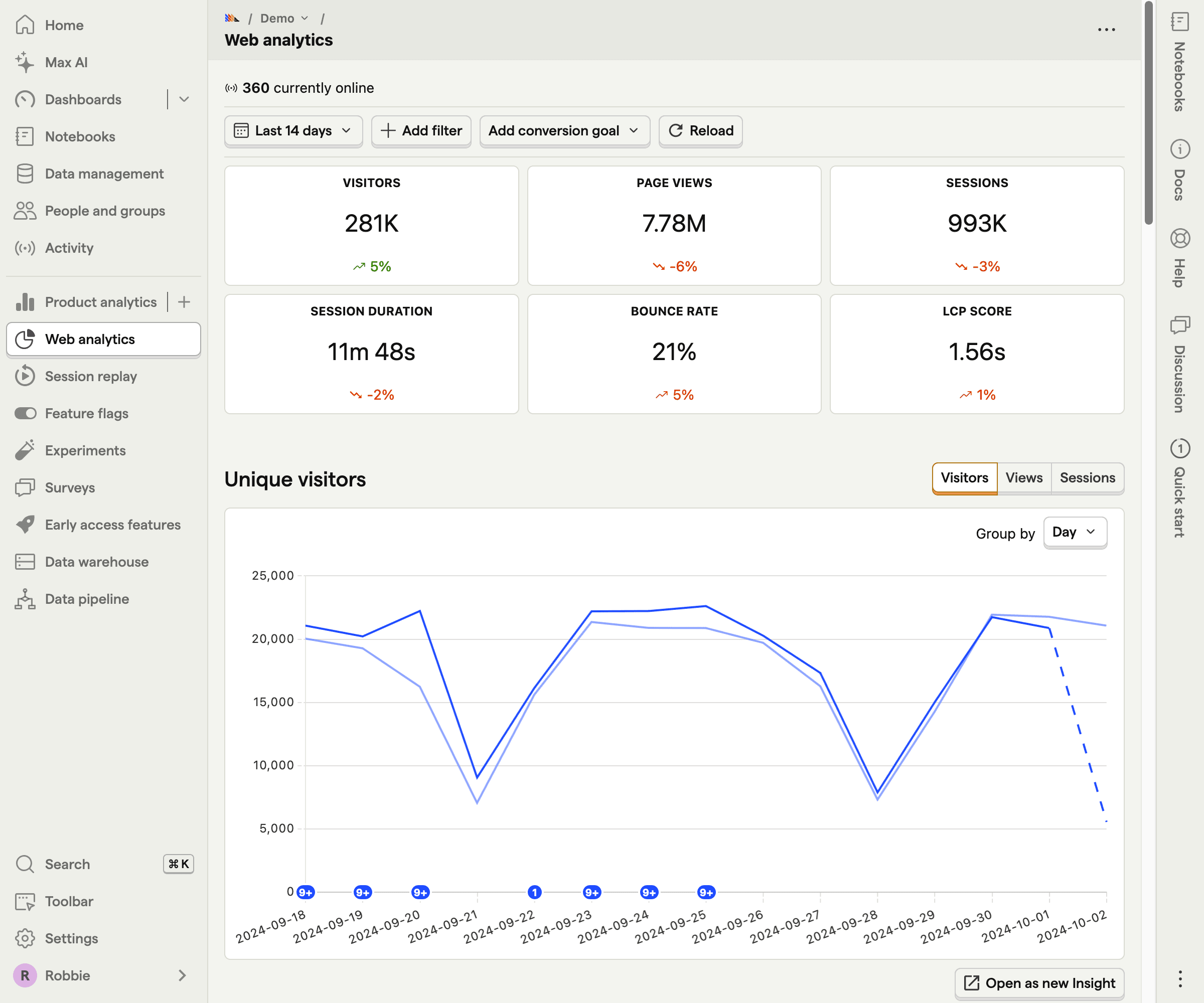
Overview
PostHog is an all-in-one platform for product development. Beyond analytics, it includes session replay, feature flags, A/B testing, and surveys, so it can replace several tools in your stack.
Originally built at Y Combinator, PostHog is now one of the most popular open-source analytics platforms. It has more features than Mixpanel, but that comes with more complexity and higher resource requirements.
- Homepage: posthog.com
- GitHub: github.com/PostHog/posthog
- License: MIT (with some enterprise features requiring a license)
- Free Tier: 1 million events per month
Pricing
PostHog uses a complex usage-based pricing model across different products:
| Product | Free Tier (Monthly) | Price Beyond Free Tier |
|---|---|---|
| Product Analytics | 1 million events | $0.00005/event |
| Session Replay | 5,000 recordings | $0.005/recording |
| Feature Flags | 1 million requests | $0.0001/request |
| A/B Testing | Included with flags | Same as flags |
| Surveys | 250 responses | $0.20/response |
Key features
Product Analytics: Event tracking, funnels, paths, retention, and stickiness. Similar to Mixpanel's core offering.
Session Replay: Watch real user sessions to understand behavior and debug. Includes console logs and network activity.
Feature Flags: Roll out features gradually with targeting rules. Includes A/B testing.
Heatmaps: See where users click and scroll on your pages (beta feature).
SQL Access: Query your data directly with SQL.
Pros
- The widest feature set among Mixpanel alternatives
- 1M-event free tier (vs Mixpanel's 100k)
- Active community and regular updates
- Replaces multiple tools (analytics + replay + flags + surveys)
- Open source with a self-hosting option
Cons
- Complex pricing that's hard to predict across multiple products
- Self-hosting requires significant resources (16GB RAM minimum)
- Feature overload can overwhelm smaller teams
- Some features only available in paid cloud version
- Higher learning curve than simpler alternatives
Best for
- Teams wanting to consolidate multiple tools
- Companies needing session replay alongside analytics
- Organizations already using feature flags
- Developers who prefer SQL access to data
3. Heap - the autocapture alternative
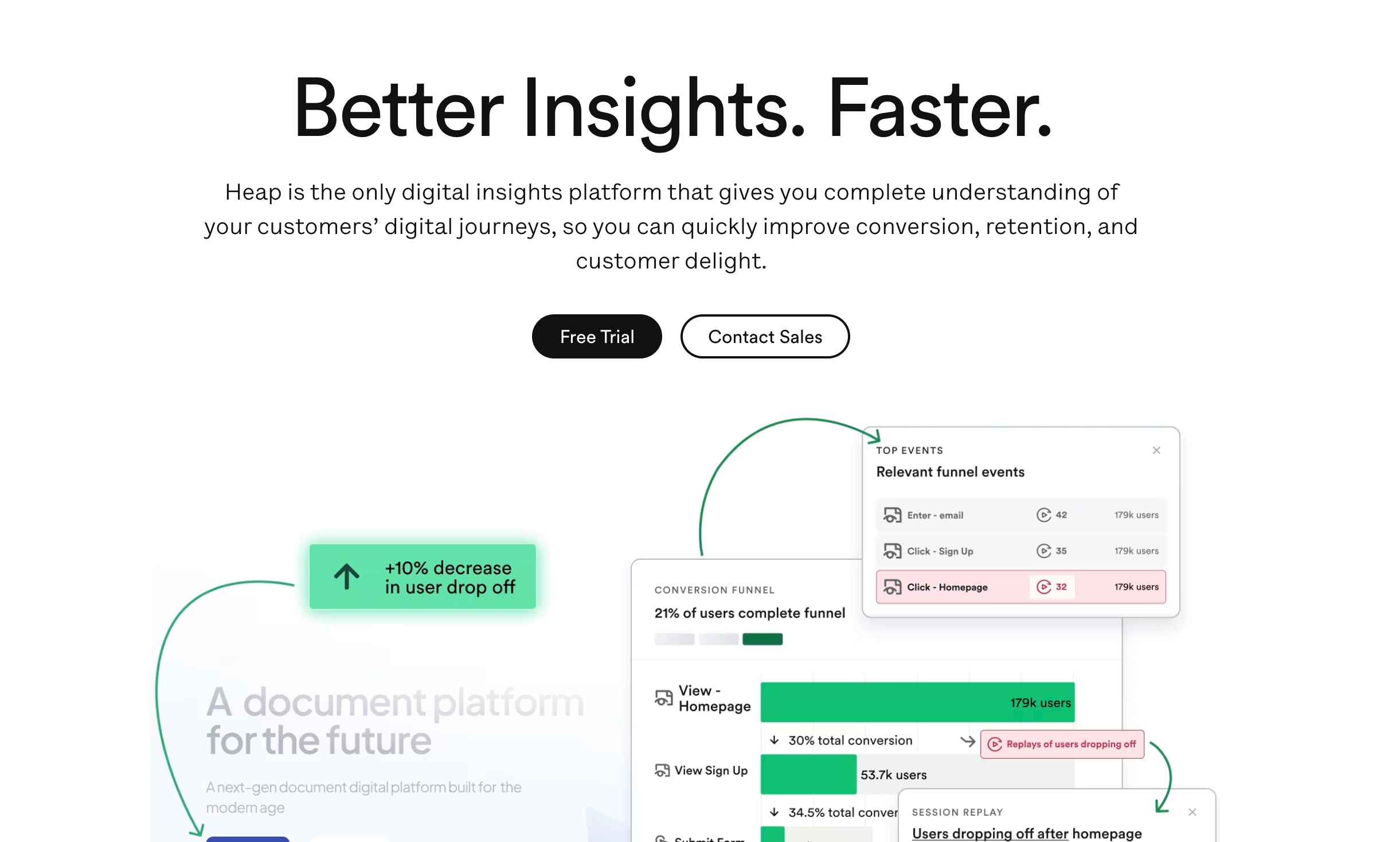
Overview
Heap takes a different approach: instead of manually tracking specific events, it captures every user interaction automatically. With this autocapture model, you can analyze user behavior retroactively without instrumenting events first.
That helps when you realize you should have been tracking something weeks ago. With traditional analytics, you're out of luck. With Heap, the data is already there. A visual labeling system lets non-technical team members define events by clicking on elements in your product.
- Homepage: heap.io
- Trial: Free plan available
- License: Proprietary
Pricing
Heap offers a free tier and custom enterprise pricing:
| Plan | Sessions/Month | Price | Features |
|---|---|---|---|
| Free | Up to 10,000 | $0 | Core analytics, 1 year retention |
| Growth | Custom | Starting ~$3,600/year | Advanced features, longer retention |
| Pro | Custom | Contact sales | Full platform, premium support |
| Premier | Custom | Contact sales | Enterprise features, SLAs |
Note: Heap's paid pricing starts high and requires annual contracts. The free tier is generous but limited.
Key features
Autocapture: Automatically tracks all clicks, form submissions, page views, and interactions without manual instrumentation.
Visual Labeling: Define events by clicking on elements in your product interface - no code required.
Retroactive Analysis: Analyze historical data for events you define today, going back to when you first installed Heap.
Session Replay: Watch user sessions to understand behavior and debug issues.
Advanced Funnels: Build conversion funnels with the captured data to identify drop-off points.
Pros
- No need to manually instrument events upfront
- Non-technical users can define events visually
- Retroactive analysis of historical data
- Captures everything, so nothing is missed
- Includes session replay
Cons
- Expensive compared to alternatives (starts around $3,600/year)
- Autocapture generates massive amounts of data
- Can be overwhelming to navigate all the captured events
- Privacy concerns with capturing everything
- Free tier is limited to 10k sessions (not events)
Best for
- Large enterprises with complex analytics needs
- Teams that need retroactive event analysis
- Organizations with non-technical users defining events
- Companies willing to pay premium prices for convenience
4. Amplitude - the enterprise alternative
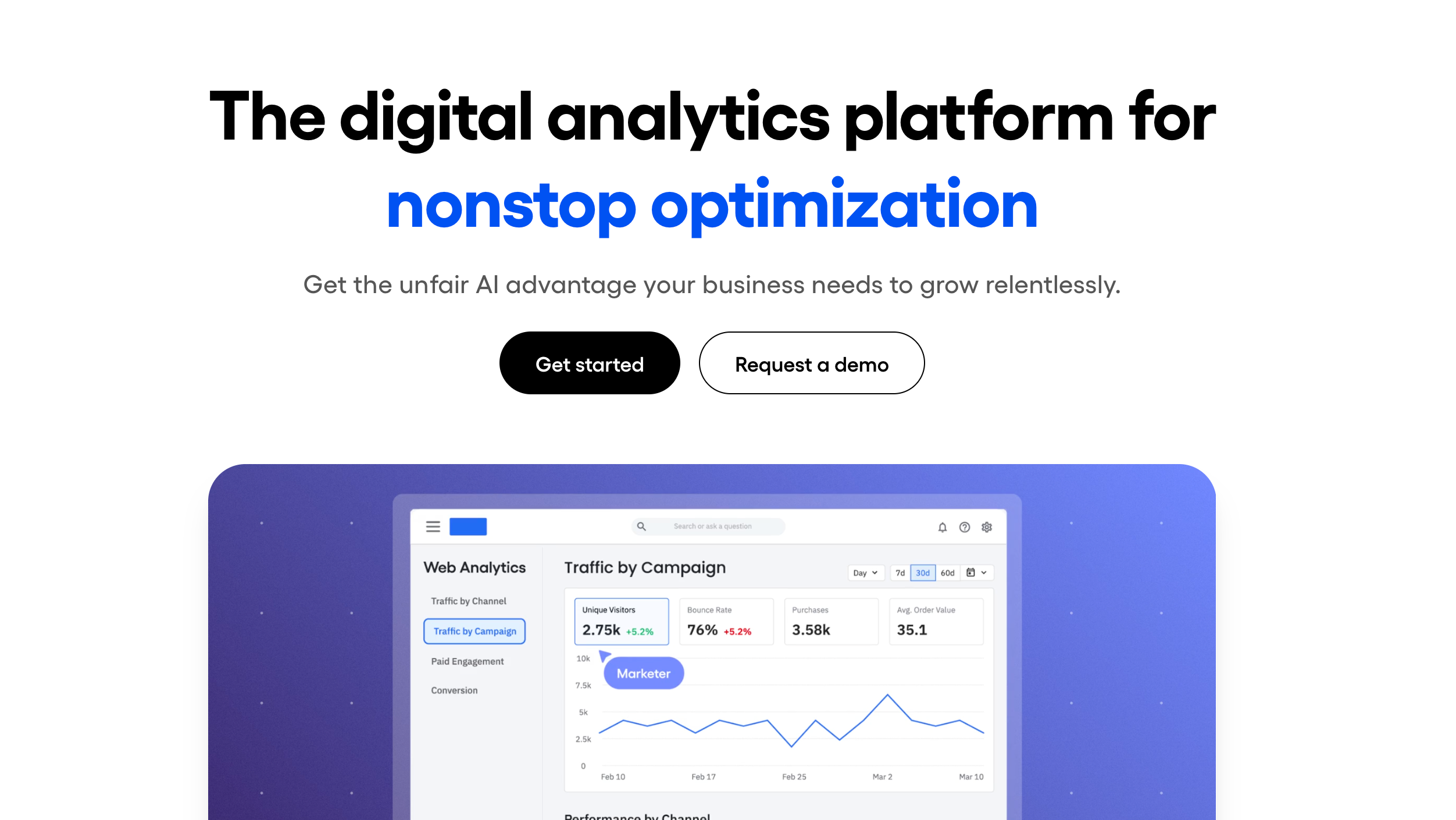
Overview
Amplitude isn't open source, but it's Mixpanel's main competitor at the enterprise level. It has similar features, with stronger data governance and advanced analytics.
Amplitude set the bar for large free tiers (10 million events/month) and focuses on behavioral analytics. Its platform includes predictive analytics and automated insights that go beyond standard product analytics.
- Homepage: amplitude.com
- Free Tier: 10 million events per month
- License: Proprietary
Pricing
Amplitude's pricing isn't publicly available for paid tiers, but their free tier is notably generous:
| Plan | Events/Month | Price | Features |
|---|---|---|---|
| Starter | 10 million | Free | Core analytics, 2 years retention |
| Growth | Custom | Contact sales | Advanced features, governance |
| Enterprise | Custom | Contact sales | Full platform, SLAs |
Key features
Behavioral Cohorting: User segmentation based on actions, not just properties.
Predictive Analytics: ML-powered predictions for conversion and churn.
Data Governance: Better data quality tools and taxonomy management.
Cross-Platform Tracking: Unified analytics across web, mobile, and offline.
Pros
- Most generous free tier (10M events vs Mixpanel's 100k)
- Advanced ML-powered insights
- Better data governance tools
- Strong mobile analytics capabilities
Cons
- Not open source - vendor lock-in concerns
- Opaque pricing for paid tiers
- Steep learning curve
- Overkill for smaller teams
Best for
- Large enterprises with complex analytics needs
- Companies wanting ML-powered insights
- Teams needing advanced data governance
- Organizations with large free tier requirements
5. Pendo - the product experience alternative
Overview
Pendo combines behavioral tracking with in-app guidance, user feedback, and product planning. It's built for product managers who want to understand how users behave and then act on it inside the app.
Where Mixpanel is analytics only, Pendo closes the loop: analyze behavior, then ship targeted in-app guides, tooltips, and announcements to improve adoption and onboarding without writing code.
- Homepage: pendo.io
- Free Tier: Up to 500 monthly active users
- License: Proprietary
Pricing
Pendo's pricing is based on monthly active users (MAUs) rather than events:
| Plan | MAUs | Price | Features |
|---|---|---|---|
| Free | Up to 500 | $0 | Core analytics, 1 guide |
| Base | Custom | Contact sales | Analytics, guides, NPS |
| Core | Custom | Contact sales | Full platform, roadmapping |
| Pulse | Custom | Contact sales | Enterprise features, SLAs |
Note: Pendo's paid plans typically start at $7,000-12,000/year depending on MAU count and features.
Key features
Product Analytics: Event tracking, funnels, paths, and retention analysis similar to Mixpanel's core offering.
In-App Guides: Create tooltips, walkthroughs, and onboarding flows without code. Target users based on behavior segments.
NPS & Surveys: Collect user feedback directly within your product with built-in NPS, polls, and surveys.
Product Planning: Roadmapping tools that connect user feedback and analytics data to product decisions.
Session Replay: Watch user sessions to understand behavior in context (add-on feature).
Pros
- Combines analytics with in-app guidance you can act on
- No-code guide builder for product managers
- Built-in NPS and user feedback collection
- Good for onboarding optimization
- Decent mobile analytics support
Cons
- Expensive — paid plans start at $7,000+/year
- Not open source — full vendor lock-in
- Analytics are less deep than dedicated tools like Mixpanel
- Heavier SDK can impact page performance
- Free tier limited to 500 MAUs
Best for
- Product managers who need analytics plus in-app guidance
- Teams optimizing user onboarding without engineering resources
- Companies that want to collect user feedback alongside behavioral data
- Organizations willing to pay premium prices for an integrated product experience platform
6. Matomo - the privacy-focused on-premise alternative
Overview
Matomo (formerly Piwik) is one of the oldest open-source analytics platforms, used by over 1 million websites. It was built with privacy at its core, which is why government agencies, universities, and regulated industries pick it for GDPR compliance without legal uncertainty.
Matomo started as a web analytics tool and still does that best, but it has added product analytics: custom events, funnels, and cohort analysis. It's not as deep as Mixpanel on the product side, but if you need both web and product analytics with full data ownership, Matomo is a proven option. See our OpenPanel vs Matomo comparison for a feature-by-feature breakdown.
- Homepage: matomo.org
- GitHub: github.com/matomo-org/matomo
- License: GPL-3.0 (fully open source)
- Free Tier: Self-hosted is free forever
Pricing
| Plan | Price | Features |
|---|---|---|
| Self-hosted (On-Premise) | Free | Full platform, unlimited sites, community support |
| Cloud - Essential | From €23/month | 50k hits, managed hosting, email support |
| Cloud - Business | From €45/month | 50k hits, advanced features, phone support |
| Cloud - Enterprise | Contact sales | Custom limits, SLAs, dedicated support |
Key features
Web Analytics: Comprehensive pageview tracking, referrers, campaigns, and real-time visitors — comparable to Google Analytics.
Custom Events & Goals: Track custom events and define conversion goals with multi-step funnels.
Heatmaps & Session Recording: Built-in heatmaps, scroll depth, and session replays (premium features on cloud, available as plugins on self-hosted).
Tag Manager: Server-side tag manager included, reducing reliance on third-party scripts.
GDPR Manager: Built-in tools for data subject access requests, consent management, and data anonymization.
Pros
- Mature open-source platform with 15+ years of development
- 100% data ownership when self-hosted — no data sent to third parties
- GDPR compliance built in, used by EU government agencies
- Large plugin library for extending functionality
- Can import Google Analytics data for easier migration
Cons
- Product analytics features are less mature than Mixpanel
- Self-hosted version requires PHP/MySQL stack and ongoing maintenance
- Cloud pricing can get expensive at scale (charged per hit)
- Interface feels dated compared to modern analytics tools
- Some advanced features (heatmaps, A/B testing) require paid plugins
Best for
- Organizations in regulated industries (healthcare, government, finance)
- Teams migrating from Google Analytics who want data ownership
- Companies in the EU that need bulletproof GDPR compliance
- Self-hosting teams already running PHP/MySQL infrastructure
7. Google Analytics 4 - the free enterprise alternative
Overview
Google Analytics 4 (GA4) runs on millions of websites and is usually the tool teams already have before they consider Mixpanel. GA4 has moved on from Universal Analytics with event-based tracking and product analytics features, but it still trails Mixpanel on user-level analysis, custom funnels, and real-time event debugging.
GA4 is hard to ignore on price: free for up to 25 million events per month. For teams on a tight budget that need basic product analytics plus web analytics, GA4 covers a lot before you need a dedicated tool. For how OpenPanel compares, see our Google Analytics alternative page.
- Homepage: analytics.google.com
- Free Tier: 25 million events per month
- License: Proprietary (Google)
Pricing
| Plan | Price | Features |
|---|---|---|
| GA4 (Standard) | Free | 25M events/month, 14 months retention, standard reports |
| GA4 360 (Enterprise) | From ~$50,000/year | Unlimited events, 50 months retention, SLAs, BigQuery streaming |
Key features
Event-Based Tracking: GA4 uses an event-driven model similar to Mixpanel — every interaction is an event with parameters.
Exploration Reports: Freeform analysis, funnel exploration, path exploration, and cohort analysis — closer to Mixpanel-style ad hoc querying.
BigQuery Integration: Export raw event data to BigQuery for custom SQL analysis at no additional cost.
Predictive Metrics: ML-powered predictions for purchase probability, churn probability, and revenue forecasts.
Cross-Platform Tracking: Unified web and app analytics with Google's identity resolution.
Pros
- Free for most businesses (25M events/month)
- Integrates with Google Ads, Search Console, and the rest of Google's products
- Event-based model is a big improvement over Universal Analytics
- BigQuery export enables custom analysis
- The largest community and resource base of any analytics tool
Cons
- Not open source — your data lives on Google's servers
- Privacy concerns: data is used for Google's advertising products
- Not GDPR-compliant by default (requires careful configuration)
- Limited to 14 months of data retention on the free tier
- User-level analysis is restricted compared to Mixpanel
- Complex setup for accurate event tracking
Best for
- Teams that need free analytics at scale
- Companies already deep in Google's products (Ads, Search Console)
- Organizations that need basic product analytics alongside web analytics
- Businesses where privacy and data ownership are not primary concerns
Making the right choice
The right Mixpanel alternative depends on your needs:
Choose OpenPanel if:
- You want affordable product analytics that scales with your business
- Privacy and data ownership are top priorities
- You need both web and product analytics in one tool
- You prefer simple, intuitive interfaces over feature complexity
- You're looking for the best price-to-value ratio
Choose PostHog if:
- You need session replay and feature flags alongside analytics
- You have engineering resources for complex self-hosting
- You want to consolidate multiple tools into one platform
- You can afford unpredictable usage-based pricing across multiple products
Choose Heap if:
- You want to analyze user behavior retroactively
- You need autocapture to avoid manual event instrumentation
- You have non-technical team members defining events
- You have the budget for premium enterprise pricing
Choose Amplitude if:
- You need enterprise-grade features and support
- You want ML-powered predictive analytics
- You can work within a proprietary platform
- You have high volume but fit within the free tier
Choose Pendo if:
- You need analytics plus in-app user guidance in one platform
- You want to improve onboarding without engineering resources
- You need to collect user feedback and manage feature requests
- You have the budget for a premium product experience platform
Choose Matomo if:
- You need bulletproof GDPR compliance for regulated industries
- You're migrating from Google Analytics and want data ownership
- You need a mature open-source platform with a large plugin library
- Your team is comfortable with PHP/MySQL self-hosting
Choose GA4 if:
- You need free analytics at massive scale (25M events/month)
- You're already invested in Google's products (Ads, Search Console, BigQuery)
- You need basic product analytics alongside comprehensive web analytics
- Privacy and data ownership are not your primary concerns
Honorable mentions
A few other tools are worth a look depending on your use case:
Countly
An open-source mobile and web analytics platform focused on mobile apps. Offers self-hosting, push notifications, crash analytics, and user profiles. Good for mobile-first teams that want built-in engagement tools. The Community edition is free and open source (AGPL-3.0).
Kissmetrics
One of the original Mixpanel competitors, Kissmetrics focuses on revenue analytics for SaaS and ecommerce. It ties user behavior directly to revenue, which suits teams that think in customer lifetime value rather than raw event counts. Pricing starts around $299/month.
FullStory
Combines product analytics with session replay and heatmaps. FullStory's auto-capture is similar to Heap's, with more focus on digital experience. Best for UX teams and enterprises with budget for premium tooling. No free tier for analytics.
Statsig
Built by ex-Facebook engineers, Statsig combines product analytics with feature flags, A/B testing, and experimentation. The analytics layer is newer but the experimentation platform is mature. Free tier with 1 million events/month. Worth a look if experimentation matters to you as much as analytics.
Plausible Analytics
A lightweight, privacy-first web analytics tool and the opposite of Mixpanel: simple, no cookies, GDPR-compliant by default. It won't replace Mixpanel's product analytics, but if you only need web analytics (not custom events and funnels), Plausible is a clean option at $9/month. Also available as open source for self-hosting.
Umami
Another lightweight open-source web analytics alternative built around simplicity and privacy. Similar to Plausible but fully free and self-hostable. Good for developers who want basic analytics. Like Plausible, it's web analytics, not a product analytics replacement for Mixpanel.
Migration considerations
When switching from Mixpanel to any alternative, consider:
Data migration: Most tools let you export Mixpanel data and import historical events. Check for migration guides — we have a migrate from Mixpanel guide for OpenPanel.
SDK compatibility: Review your current Mixpanel implementation and plan for code changes. OpenPanel supports Next.js, React, Vue, Python, and many more frameworks.
Feature parity: List your must-have Mixpanel features and check that your chosen alternative supports them. For a feature-by-feature comparison, see our OpenPanel vs Mixpanel page.
Team training: Budget time for your team to learn the new tool. Simpler alternatives like OpenPanel take less training than complex platforms like PostHog.
Cost analysis: Calculate total cost, including hosting, maintenance, and add-ons. Don't forget engineering time for self-hosted solutions.
Conclusion
The best Mixpanel alternative depends on your priorities and product type:
- OpenPanel is the best balance of features, price, and privacy for most teams
- PostHog fits if you need an all-in-one platform with session replay and feature flags
- Heap suits enterprises that value retroactive analysis and can afford premium pricing
- Amplitude works for high-volume products that fit within the free tier
- Pendo fits teams that need analytics plus in-app guidance and onboarding
- Matomo is the pick for GDPR compliance and regulated industries
- GA4 is unbeatable on price if you're already using Google's products
Most teams pay for complex analytics platforms but use only the basics. Start from your real requirements and you'll land on the right Mixpanel alternative.
Also consider: If you mostly track website traffic rather than product events, see our guide to open-source web analytics tools for simpler alternatives like Plausible, Umami, and Matomo.
Ready to try a simpler, cheaper approach to product analytics? Start your free trial of OpenPanel.
Frequently asked questions
Related articles
 Comparison
Self-Hosted Mixpanel Alternative: 5 Product Analytics Tools to Replace It (2026)
OpenPanel Team · 2026-02-16
ComparisonSelf-Hosted Web Analytics 2026 — Plausible vs Matomo vs Umami vs OpenPanel
OpenPanel Team · 2024-11-14
 Comparison
Open Source Analytics Tools: 2026 Survey of Privacy-First Options
OpenPanel Team · 2024-11-10