Third-party cookies are dying. Safari and Firefox blocked them years ago. Chrome is finally following through. And privacy regulations keep getting stricter.
If your analytics still depends on cookies, you're working with incomplete data — and possibly breaking the law. Cookieless analytics gives you accurate visitor insights without cookies, consent banners, or compliance headaches.
This guide covers how cookieless tracking works, why it matters, and which tools do it best.
Why cookies are going away
The shift away from cookies didn't happen overnight. It's been building for years.
Browser restrictions
Safari's Intelligent Tracking Prevention (ITP) started blocking third-party cookies in 2017. Firefox followed with Enhanced Tracking Protection in 2019. Both browsers now block third-party cookies by default and limit first-party cookie lifetimes.
Chrome, which holds roughly 65% of browser market share, announced its cookie deprecation plans in 2020. After multiple delays, Google is phasing out third-party cookies through its Privacy Sandbox initiative. The timeline has shifted, but the direction is clear: third-party cookies are on borrowed time.
Privacy regulations
GDPR requires explicit consent before setting non-essential cookies. That means cookie banners, consent management platforms, and the constant risk of getting it wrong. Fines can reach €20 million or 4% of global revenue.
CCPA, Brazil's LGPD, and similar laws in other regions add their own requirements. The trend is clear: more restrictions, not fewer.
Ad blockers and privacy tools
Over 40% of internet users run ad blockers or privacy tools. Most of these block analytics cookies too, so cookie-based analytics already misses a large chunk of your traffic.
The result
If you still rely on cookies for analytics, you're getting incomplete data from a shrinking pool of users, and jumping through legal hoops to do it. Cookieless analytics solves all three problems at once.
How cookieless tracking works
Cookieless analytics doesn't mean you stop collecting data. It means you collect it differently. Here are the main approaches:
Server-side tracking
Instead of running JavaScript that sets cookies in the browser, server-side tracking captures events on your backend. The user's browser never receives a tracking cookie because data collection happens on your server.
This is immune to ad blockers, doesn't require consent banners for basic analytics, and gives you more control over what data you collect.
Session-based identifiers
Some tools create a temporary, non-persistent identifier for each visit. This ties actions together during a single session (page views, clicks, form submissions) without storing anything in the browser. When the session ends, the identifier is discarded.
You get session-level data (bounce rate, pages per visit, conversion paths) without the privacy implications of persistent tracking.
First-party data
Your own signup forms, user accounts, and preference settings are first-party data. You collected it directly from the user, with their knowledge. Cookieless analytics tools can combine anonymous session data with authenticated user data when someone logs in, no cookies needed.
Hashed identifiers
Some tools generate a daily hash from non-identifying signals like the visitor's IP address, user agent, and screen size. This lets you count unique visitors without storing personal data or setting cookies. The hash changes daily, so there's no long-term tracking.
OpenPanel uses this approach: a daily rotating hash that counts unique visitors accurately without storing any personal information.
Best cookieless analytics tools compared
Not all cookieless analytics tools are the same. Some focus on simple pageview tracking. Others offer full product analytics with funnels, retention, and user journeys. Here's how the main options compare:
| Tool | Type | Cookieless | Open Source | Self-Host | Cloud Pricing (from) | Best For |
|---|---|---|---|---|---|---|
| OpenPanel | Web + Product | Yes | Yes (AGPL-3.0) | Free | $2.50/mo | Teams wanting product analytics without cookies |
| Plausible | Web | Yes | Yes (AGPL-3.0) | Free | $9/mo | Simple, lightweight pageview analytics |
| Fathom | Web | Yes | No | No | $15/mo | Privacy-focused teams wanting managed hosting |
| Simple Analytics | Web | Yes | No | No | $9/mo | Simplest possible analytics setup |
| Pirsch | Web | Yes | Yes (AGPL-3.0) | License | $6/mo | Server-side analytics without JavaScript |
OpenPanel
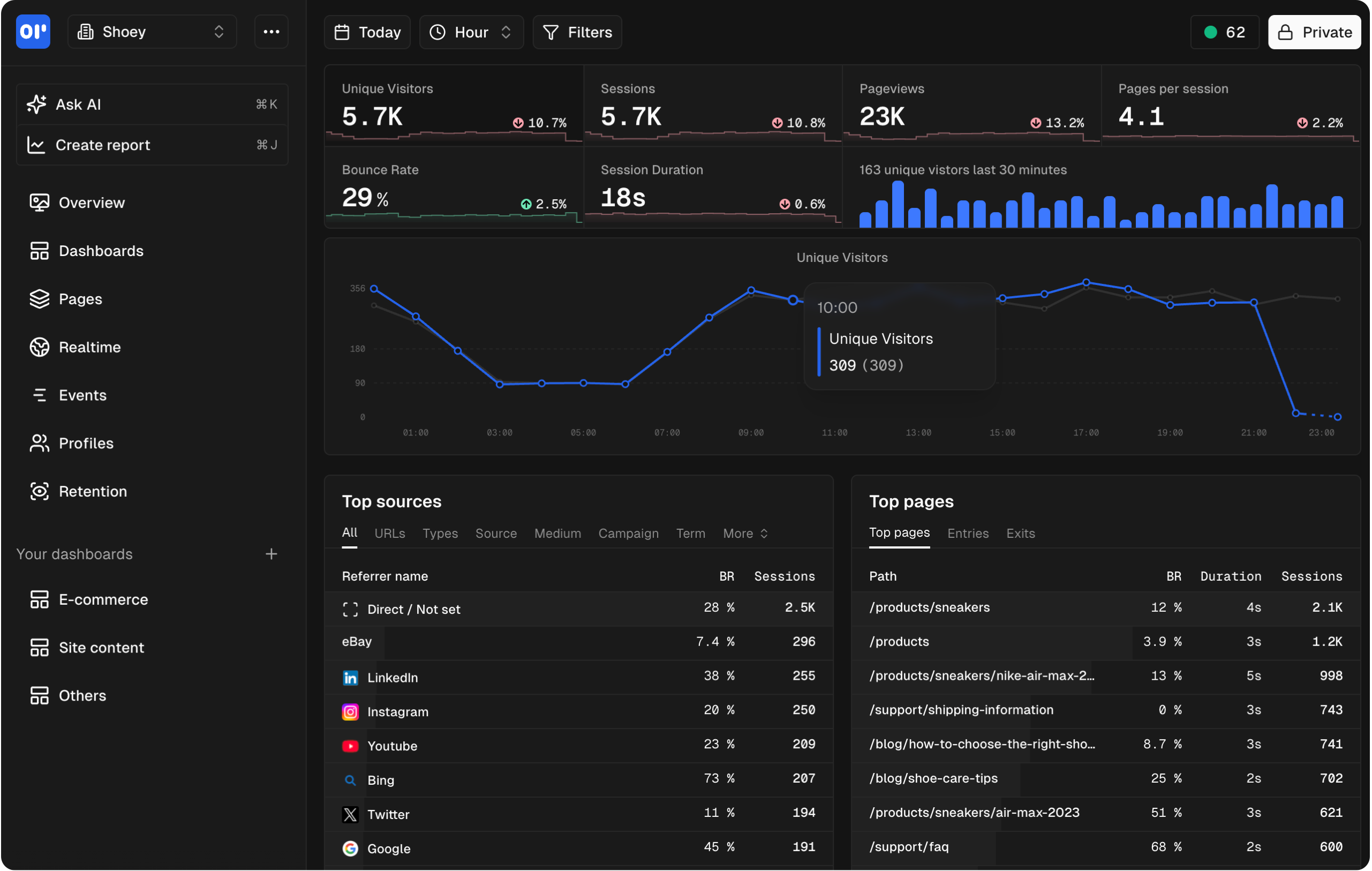
OpenPanel is an open source analytics platform that combines web analytics and product analytics, all without cookies. You get pageviews and traffic sources alongside funnels, retention, custom events, and user journeys.
What sets it apart: most cookieless tools only track pageviews. OpenPanel gives you Mixpanel-level product analytics (event tracking, funnels, retention, user properties) without setting a single cookie. And you can self-host it for free.
- Zero cookies, ever
- GDPR and CCPA compliant out of the box
- Real-time dashboards
- Custom events and properties
- Open source with full self-hosting support
- Starts at $2.50/month on cloud
Plausible
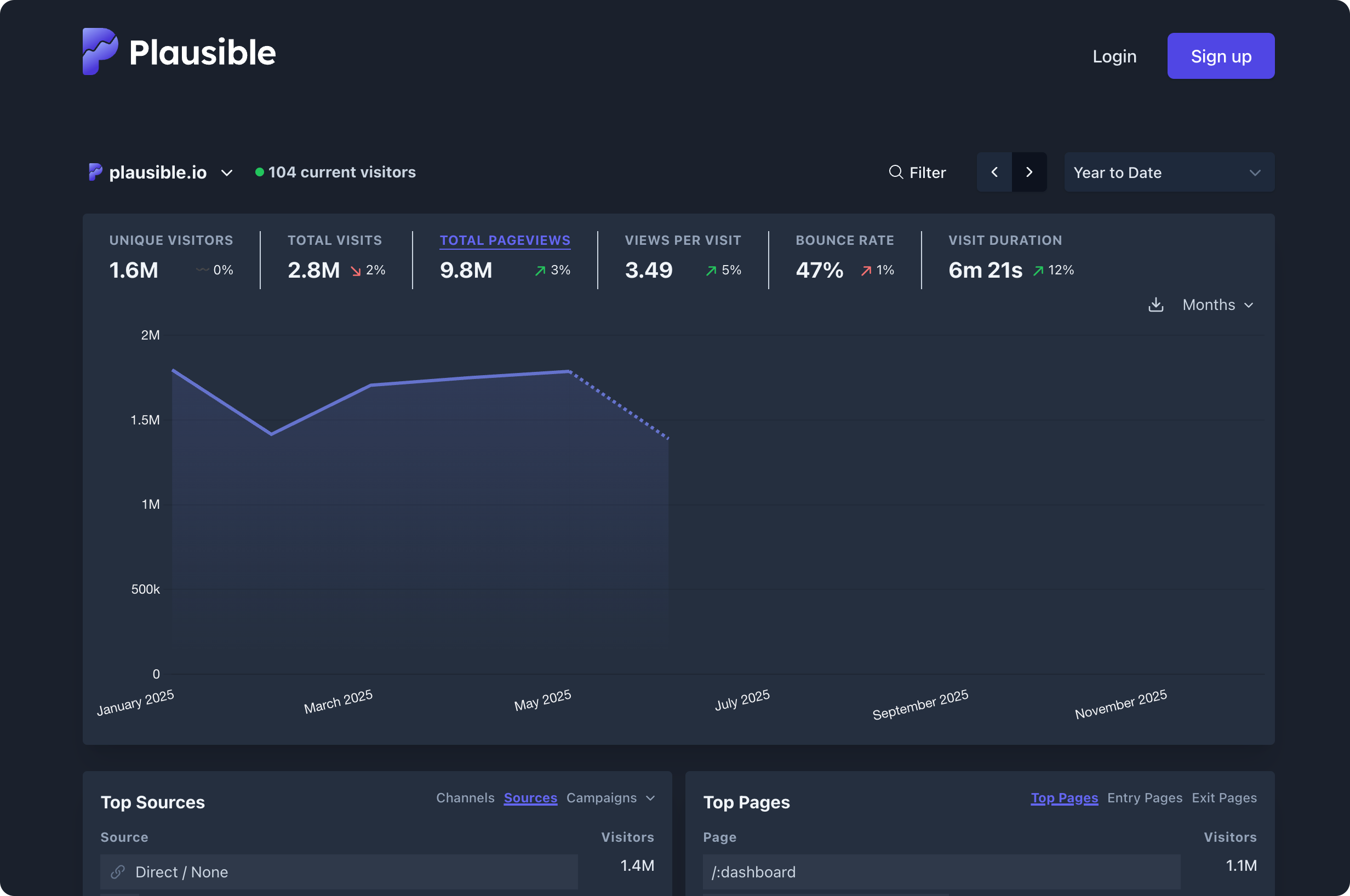
Plausible is a lightweight, privacy-first web analytics tool. It tracks pageviews, referral sources, and basic engagement metrics without cookies.
Best for: sites that need simple traffic stats and nothing more. If you don't need event tracking, funnels, or user-level analytics, Plausible keeps things minimal.
- Under 1 KB script size
- No cookies, no consent banner needed
- Self-hostable (community edition)
- Starts at $9/month on cloud
Fathom
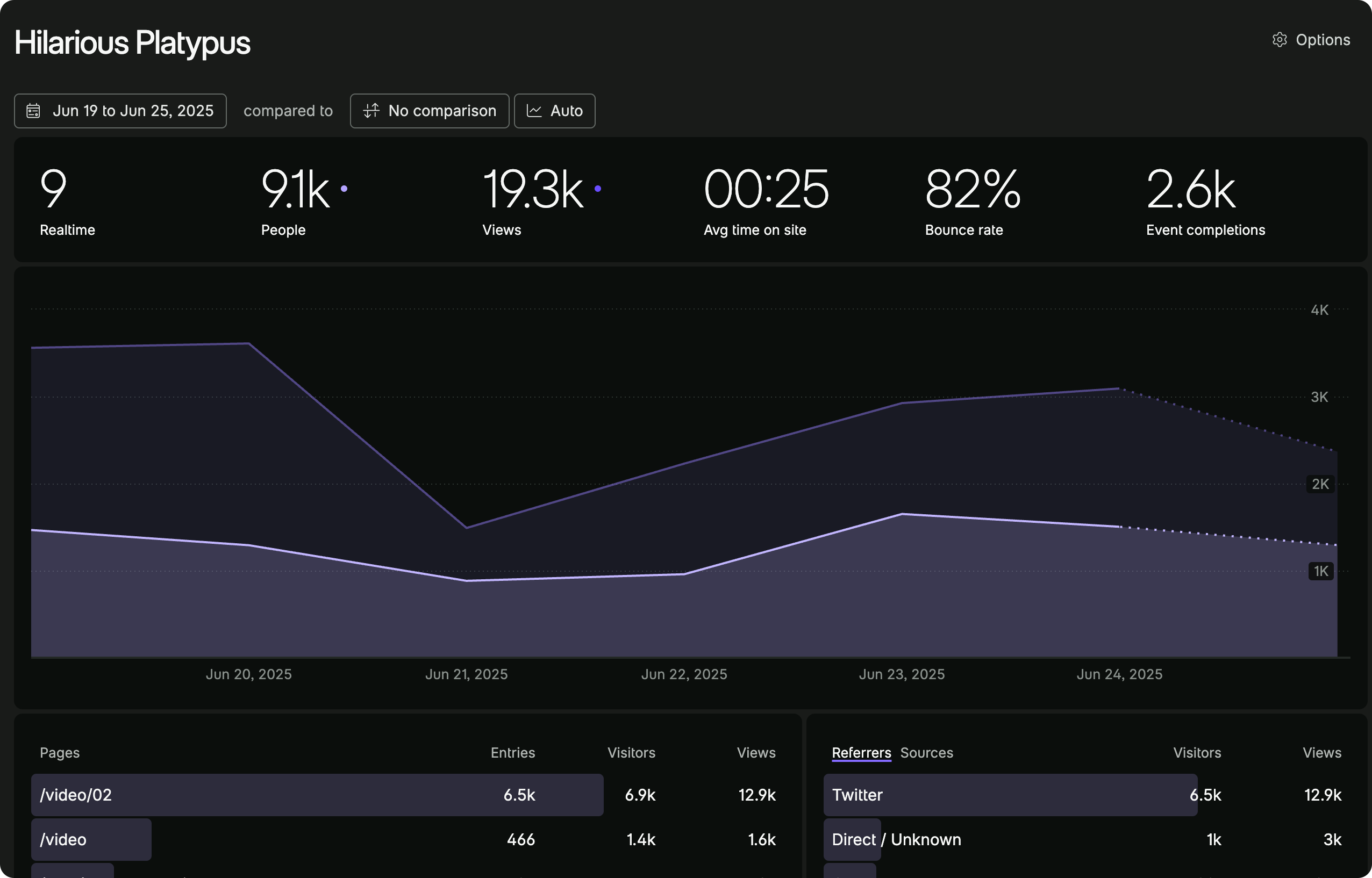
Fathom is a privacy-focused, managed analytics tool. It handles cookieless tracking, EU isolation, and compliance so you don't have to.
Best for: teams that want a fully managed solution with zero maintenance. Fathom handles the infrastructure and compliance details.
- Cookieless by default
- EU data isolation available
- Managed hosting only (no self-host)
- Starts at $15/month
Simple Analytics
Simple Analytics does what its name suggests: privacy-friendly analytics with no cookies, no tracking scripts on the user's device, and a clean dashboard.
Best for: teams that want the simplest possible setup. No configuration, no extra features — just traffic data.
- No cookies, no fingerprinting
- Lightweight script
- AI-powered insights
- Starts at $9/month
Pirsch
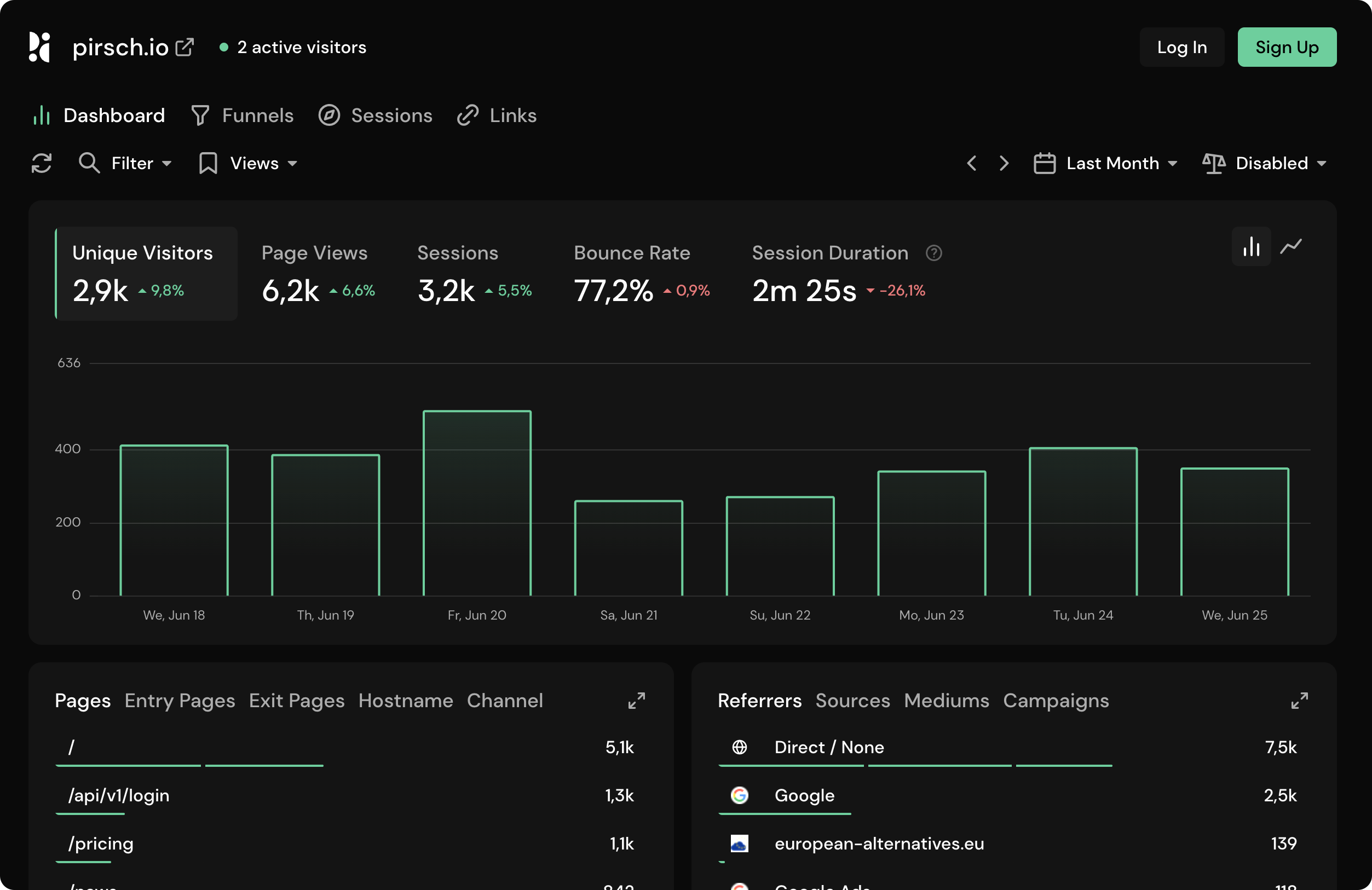
Pirsch takes a different approach: server-side only analytics. There's no JavaScript snippet to load. Instead, you send events from your backend, so ad blockers can't interfere.
Best for: developers who want 100% accurate tracking that browser extensions can't block.
- Server-side only, no JavaScript needed
- Cookie-free by design
- Open source core
- Starts at $6/month
Cookieless analytics vs traditional analytics
Switching from cookie-based analytics (like Google Analytics) to a cookieless platform isn't only a privacy upgrade. It changes what data you get and how you use it.
What you gain
Accurate visitor counts. Cookie-based analytics misses users who block cookies, use private browsing, or decline consent banners. Cookieless tools track everyone because there's nothing to block or decline.
No consent banners. If your analytics tool doesn't set cookies, most privacy laws don't require a consent banner for basic analytics. That means no pop-ups, faster page loads, and a better user experience.
Simpler compliance. No cookies means no cookie audits, no consent management platforms, no records of consent, and no worrying about which cookies are "strictly necessary." Your legal team will thank you.
Faster pages. Cookie-based analytics scripts are usually larger and heavier. Most cookieless tools use lightweight scripts under 5 KB. Some, like Pirsch, use no client-side script at all.
Future-proof data. Your analytics won't break when Chrome finishes deprecating third-party cookies.
What you lose
Cross-session user tracking (mostly). Without persistent cookies, you can't easily track the same anonymous visitor across sessions over weeks or months. If a user visits Monday and returns Thursday, most cookieless tools count that as two separate visitors.
This matters less than you'd think. Once a user logs in or signs up, you can track them across sessions using your own first-party data. Tools like OpenPanel support this with authenticated user identification.
Some Google Analytics features. GA's remarketing audiences, cross-domain tracking, and Google Ads integration all rely on cookies. If you depend on these, you'll need other approaches.
Attribution modeling. Multi-touch attribution across long time windows gets harder without persistent identifiers. But cookie-based attribution was never as accurate as people assumed — ad blockers and browser restrictions had already broken it.
The bottom line
For most sites, cookieless analytics gives you more accurate data (because nothing is blocked) while removing the legal and UX overhead of cookie consent. The tradeoff, less cross-session anonymous tracking, matters less as cookies disappear anyway.
Getting started with cookieless analytics
Setting up OpenPanel takes about two minutes. No cookies, no consent banners, no complex configuration.
1. Add the tracking snippet
<script>
  window.op=window.op||function(){var n=[];return new Proxy(function(){arguments.length&&n.push([].slice.call(arguments))},{get:function(t,r){return"q"===r?n:function(){n.push([r].concat([].slice.call(arguments)))}} ,has:function(t,r){return"q"===r}}) }();
  window.op('init', {
    clientId: 'YOUR_CLIENT_ID',
    trackScreenViews: true,
    trackOutgoingLinks: true,
    trackAttributes: true,
  });
</script>
<script src="https://openpanel.dev/op1.js" defer async></script>
2. Track custom events
window.op('track', 'signup_button_clicked');

window.op('track', 'order_placed', {
  orderId: 'ORD-20260216-001',
  revenue: 49.95,
  currency: 'EUR',
});
That's it. You're collecting analytics without cookies, without consent banners, and without giving up the insights you need.
Want full control over your data? You can also self-host OpenPanel on your own infrastructure for free.
FAQ
Related articles
 Guide
GuideWhat Is Cohort Analysis? A Practical Guide to Retention & Churn
OpenPanel Team · 2026-05-29
 Guide
GuideIs Mixpanel Worth It in 2026? Real Costs at 1M, 10M & 20M Events
OpenPanel Team · 2025-12-08
 Guide
GuideHow to Export Data from Umami Analytics
OpenPanel Team · 2025-10-30
 Guide
GuideWhat Is a Conversion Funnel? How to Build & Optimize One
OpenPanel Team · 2025-03-31
 Guide
GuideHow to Self-Host OpenPanel Analytics Platform
OpenPanel Team · 2025-02-28
 Guide
GuideSelf-Hosted Analytics Without DPAs: GDPR, HIPAA, CCPA Guide
OpenPanel Team · 2024-12-08