

Invite the team. Share the numbers.
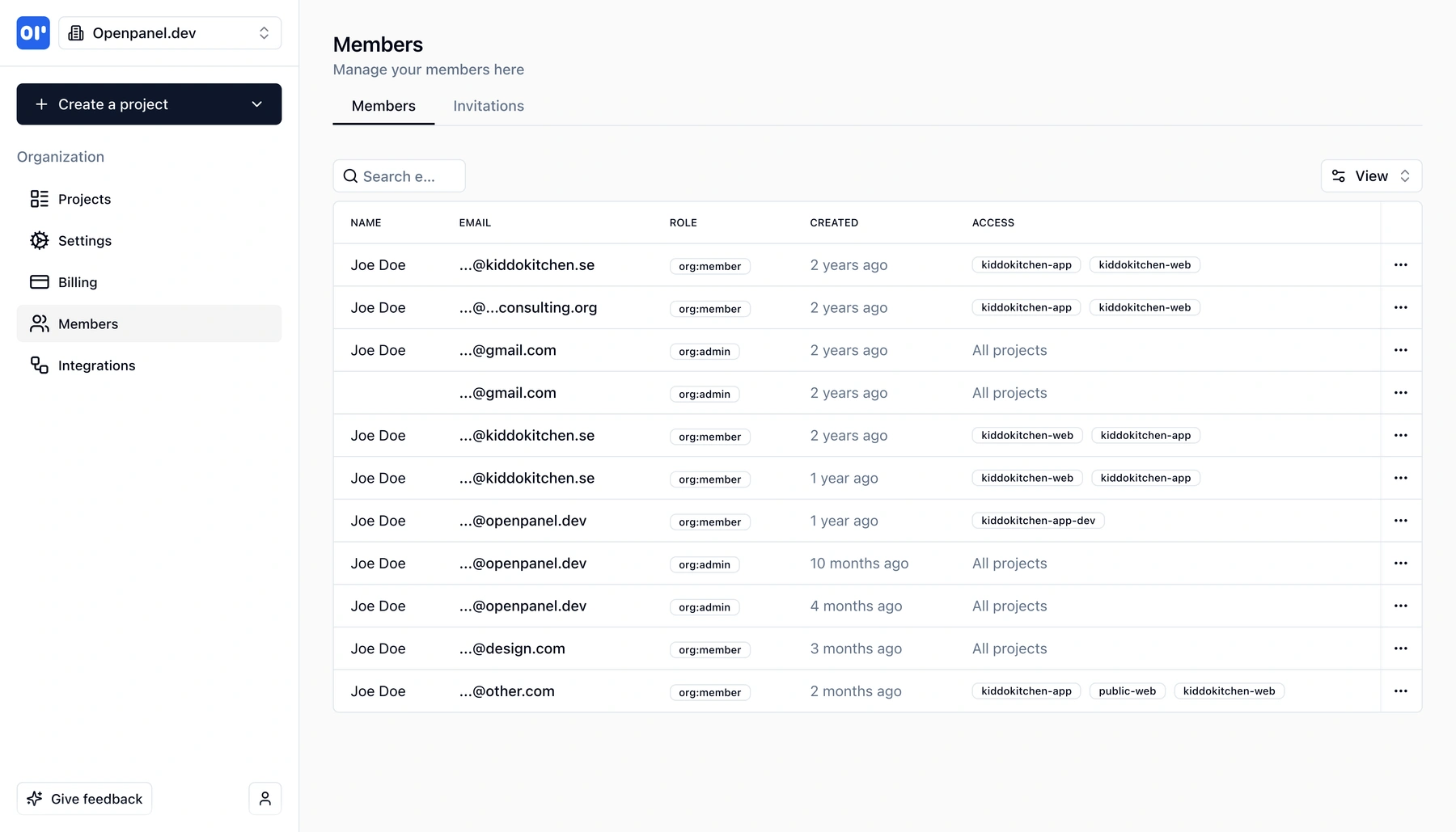
Unlimited members, org-wide or project-level access. Share full dashboards or single reports - publicly or behind a password.
- Unlimited members
- Org-wide or project-level access
- Share dashboards and reports
- Public or password-protected links
What is share and collaborate?
Share and collaborate in OpenPanel is how you get the right data to the right people without opening the door to everything.
Unlimited members - There's no cap on how many people you can invite. Add your whole team, contractors, or stakeholders and manage them from a single members view.
Flexible access - Each member can have:
- Organization-wide access - full visibility across all projects, ideal for admins and core team
- Fine-grained access - access only to specific projects you choose, so stakeholders see only what's relevant
What you can share - You're not limited to "all or nothing" views:
- Complete dashboards - share an entire dashboard so others see the same layout and reports you use
- Individual reports - share a single report (e.g. one funnel or one retention chart) for focused updates
How you share - Every shared dashboard or report can be:
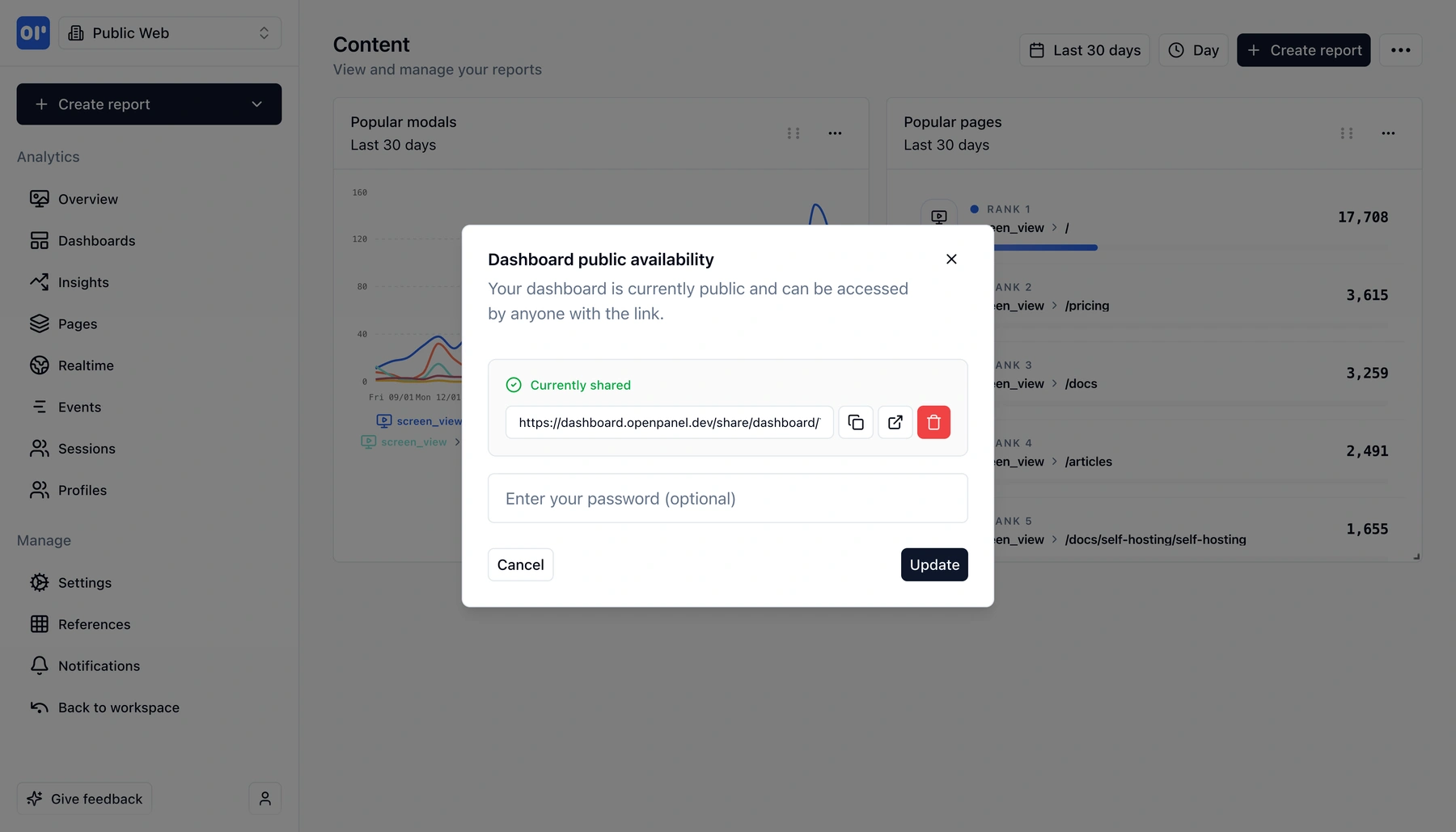
- Publicly available - anyone with the link can view it (handy for status pages, exec summaries, or embedded views)
- Password-protected - only people with the password can open the link, so you keep sensitive data under control
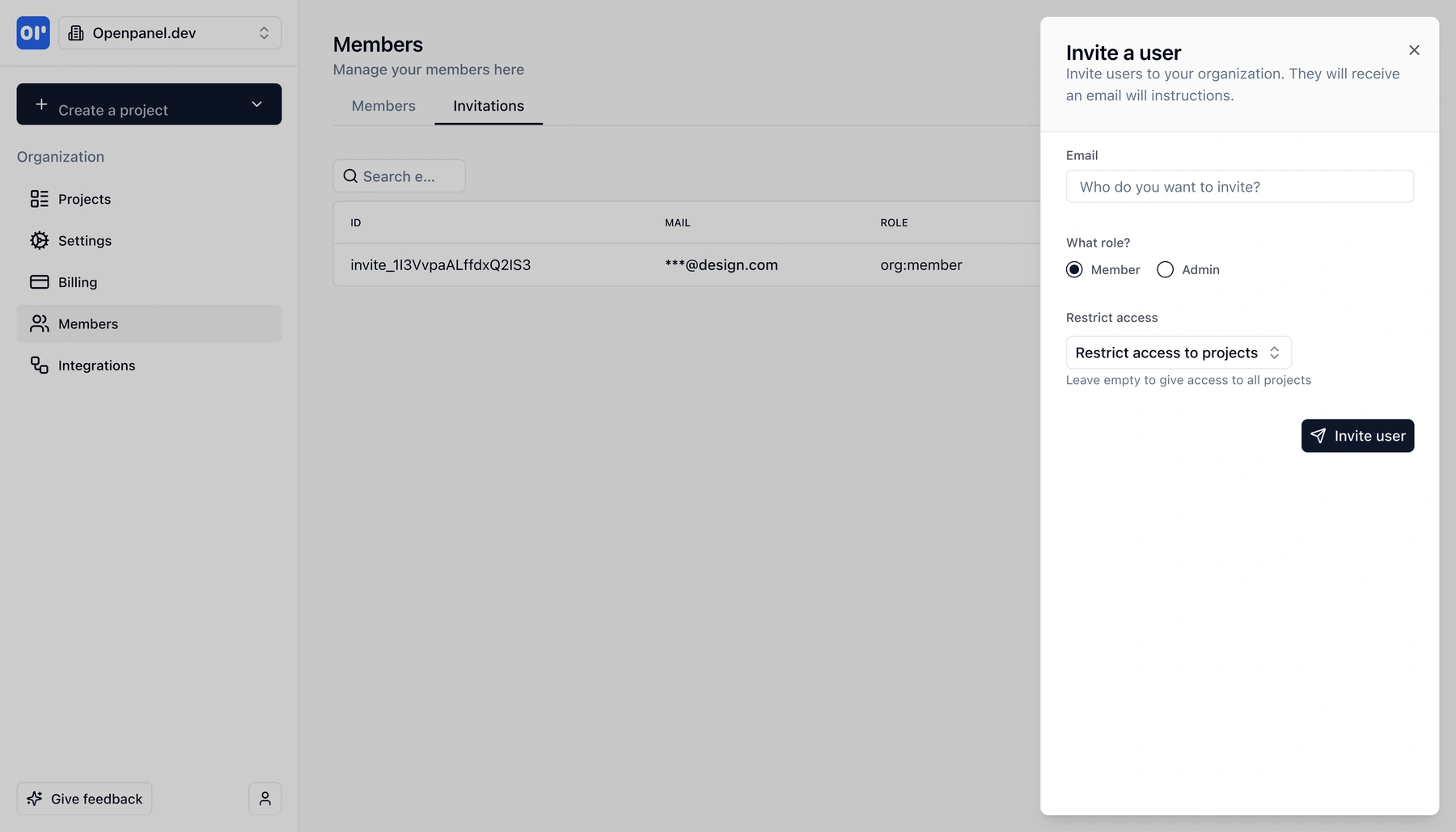
Inviting is straightforward: add members by email, assign access (org or specific projects), and optionally share dashboards or reports with public or password-protected links. Everyone sees the same numbers, and you decide who sees what.
What you can do with share and collaborate
From inviting your first teammate to sharing a report with a client - everything is built in.
Unlimited members
Invite as many team members as you need. No per-seat limits - add admins, analysts, and stakeholders and manage them from one place.
Organization-wide or project-level access
Give members access to the entire organization or restrict them to specific projects. Fine-grained control keeps each person seeing only what they need.
Share full dashboards
Share a complete dashboard so others see the same layout and reports. Perfect for weekly reviews, exec summaries, or keeping a team on the same page.
Share individual reports
Share a single report - one funnel, one retention chart, or one breakdown - so you send exactly the view that matters without exposing the rest.
Public or password-protected links
Shared dashboards and reports can be publicly viewable (anyone with the link) or protected with a password for sensitive or internal-only use.
Invite and manage in one place
Invite by email, assign access, and see all members and their permissions in a clear members view. Update access or remove members anytime.
How sharing and collaboration works
Invite members, set access, then share dashboards or reports as needed.
Invite members
Add team members by email from the members area. They receive an invite and can sign in to OpenPanel with the access you've assigned.
Set access level
Give each member organization-wide access (all projects) or fine-grained access to specific projects only. You can change this anytime.
Share dashboards or reports
From any dashboard or report, use Share to generate a link. You can share a full dashboard or a single report.
Choose public or password-protected
Make the link public (anyone with the link can view) or set a password so only people who have it can open the shared view.
How teams use share and collaborate
From internal alignment to client-facing reports - sharing and access control fit many workflows.
Internal team alignment
Invite product, growth, and support with access to the projects they need. Share a main dashboard so everyone looks at the same KPIs in meetings.
Stakeholder and exec updates
Give execs or stakeholders limited access to specific projects and share a single report or dashboard. No need to give them the full product - just the view that matters.
Client and partner reports
Share a dashboard or report with a client or partner via link. Use a password when the data is sensitive so only authorized people can view it.
Public status or metrics pages
Share a dashboard publicly and embed or link it from your status page, docs, or marketing site so visitors see live metrics without signing in.
Related features
Explore more capabilities that work together with this feature.
Data visualization
Build the dashboards and reports you'll share - charts, breakdowns, and custom views that stay up to date when you share them.
Notifications
Keep the team in the loop with alerts when specific events happen. Complements sharing by pushing updates instead of requiring people to open a link.
Integrations
Send data to Slack, Discord, or webhooks. Use integrations for real-time alerts alongside shared dashboards for deeper exploration.
Frequently asked questions
Common questions about sharing and collaboration in OpenPanel.
Ready to get started?
Track events in minutes. Free 30-day trial, no credit card required.
Invite your team and share your first dashboard