

User tracking
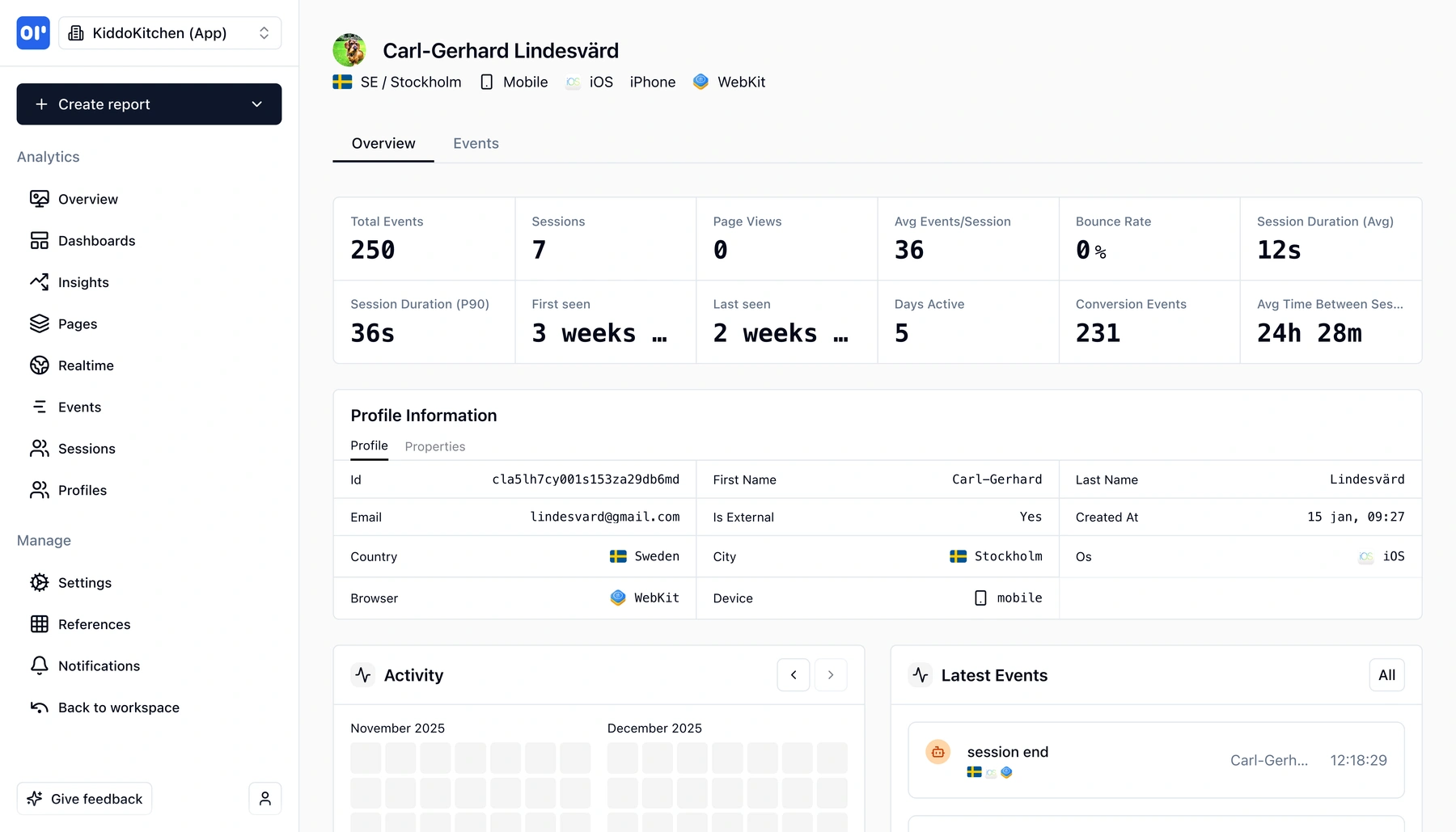
See who they are, when they first appeared, and what they did - with full respect for privacy. No fingerprinting, no surveillance.
- First seen / last seen
- Activity timeline per user
- Custom user properties
- Privacy-first identification
What is user identification?
User identification connects anonymous activity to a known user profile. Instead of treating every visit as a nameless session, you link events, page views, and sessions to a real person-someone you can look up, follow over time, and understand in context.
With OpenPanel, identification works like this:
- A visitor arrives and generates anonymous events
- When they sign up or log in, you call
identify()with an ID and optional properties - OpenPanel merges their anonymous history with the identified profile
From that point on, you can see when they first appeared, when they were last active, every event they triggered, and any properties you attached (plan, company, role, etc.).
That lets you answer questions like:
- When did this user first show up, and what led them to sign up?
- What did they do in the last 7 days?
- Which features does this account actually use?
- Is this user at risk of churning?
Most analytics tools reduce users to anonymous metrics. OpenPanel gives you individual-level profiles while keeping you in control of what data you send. No third-party cookies, no fingerprinting, no data sold to advertisers. These profiles help your support, sales, and product teams.
What you get with user profiles
From basic identity to full activity history, user profiles give you the context your team needs.
First seen and last seen
Know exactly when each user first appeared and when they were last active. Spot dormant accounts before they churn.
Full activity timeline
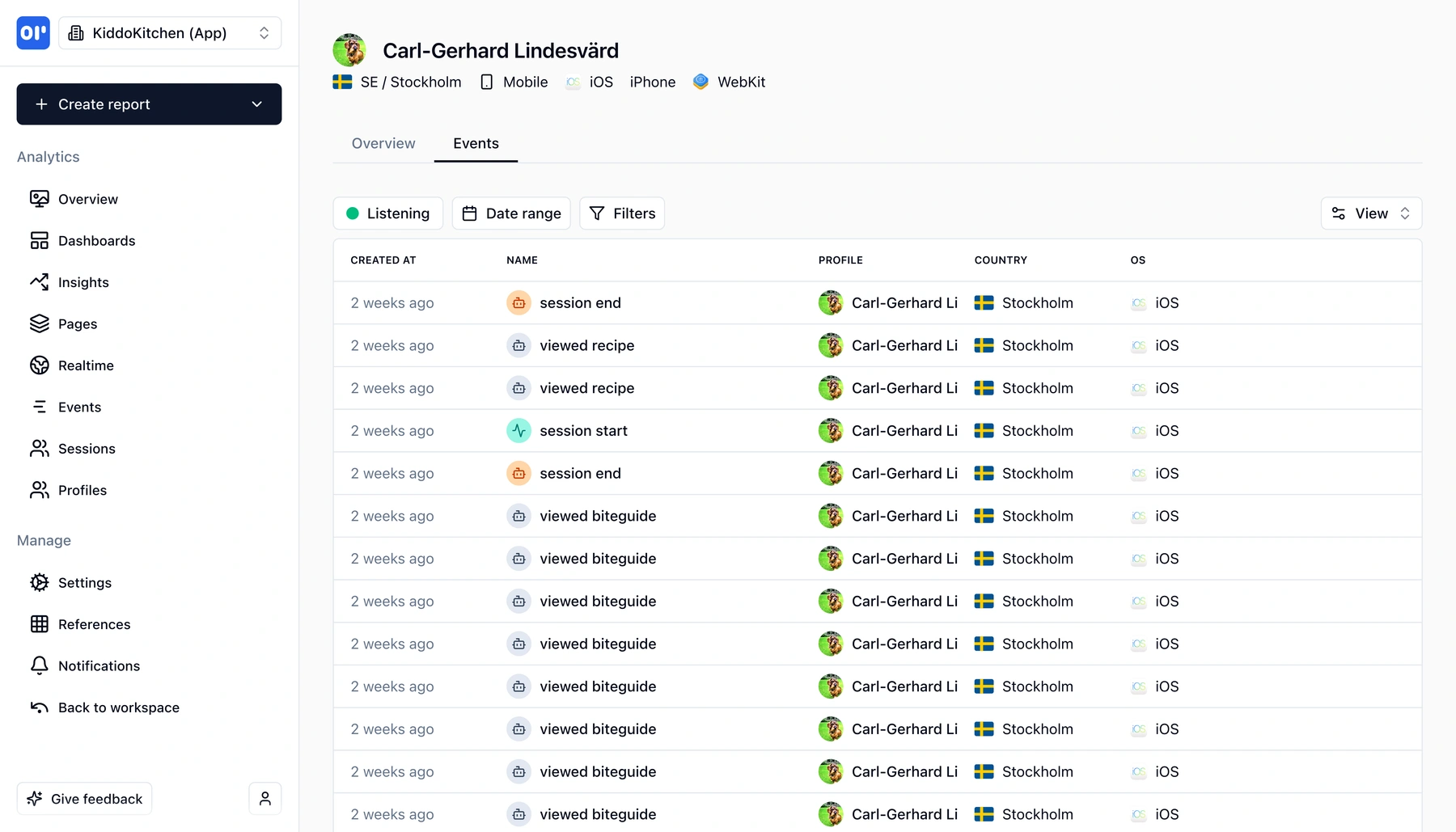
See every event a user triggered in chronological order-page views, clicks, conversions, custom events-all on one screen.
Custom user properties
Attach properties like plan, company, role, or lifetime value. Filter and segment users by any property you set.
Anonymous-to-identified merge
Pre-signup activity is automatically merged with the identified profile, so you never lose the full journey.
Session history
See how many sessions a user has had, how long they lasted, and what happened in each one.
Privacy-first by design
You choose what to send. No fingerprinting, no third-party cookies, no hidden data collection. Self-host for full control.
How user identification works
Three steps to go from anonymous visitors to rich user profiles.
Track events as usual
Install the SDK and send events. Before identification, all activity is stored under an anonymous profile.
Call identify() on login or signup
Pass a user ID and optional properties (email, plan, company). OpenPanel merges the anonymous history with the new profile.
Browse profiles and timelines
Open any user profile to see their full journey: first seen, last seen, every event, session history, and attached properties.
Who uses user profiles
User identification powers workflows across support, sales, and product teams.
Support teams
Pull up a user's activity timeline before responding to a ticket. See what they clicked, where they got stuck, and whether the issue is reproducible-without asking them to describe every step.
Sales teams
See which features a prospect has explored, how often they return, and when they were last active. Reach out with context instead of cold guesses.
Product managers
Identify power users and understand what makes them different. Compare activity patterns between retained and churned users to prioritize the right features.
Customer success
Monitor user engagement over time. Spot accounts going quiet before they cancel and intervene with the right message at the right time.
Related features
Explore more capabilities that work together with this feature.
Frequently asked questions
Common questions about user identification in OpenPanel.
Ready to get started?
Track events in minutes. Free 30-day trial, no credit card required.
Start identifying users today