Hero

Microsoft Clarity Alternative

Clarity is free, but every session recording lives on Microsoft's servers — and there's no event tracking, no funnels, no retention. OpenPanel adds product analytics on top of session replay, so you understand what users do AND why retention moves. Self-host it for full data ownership.

  • Session replay
  • Funnels & retention
  • Self-hostable
  • Open source
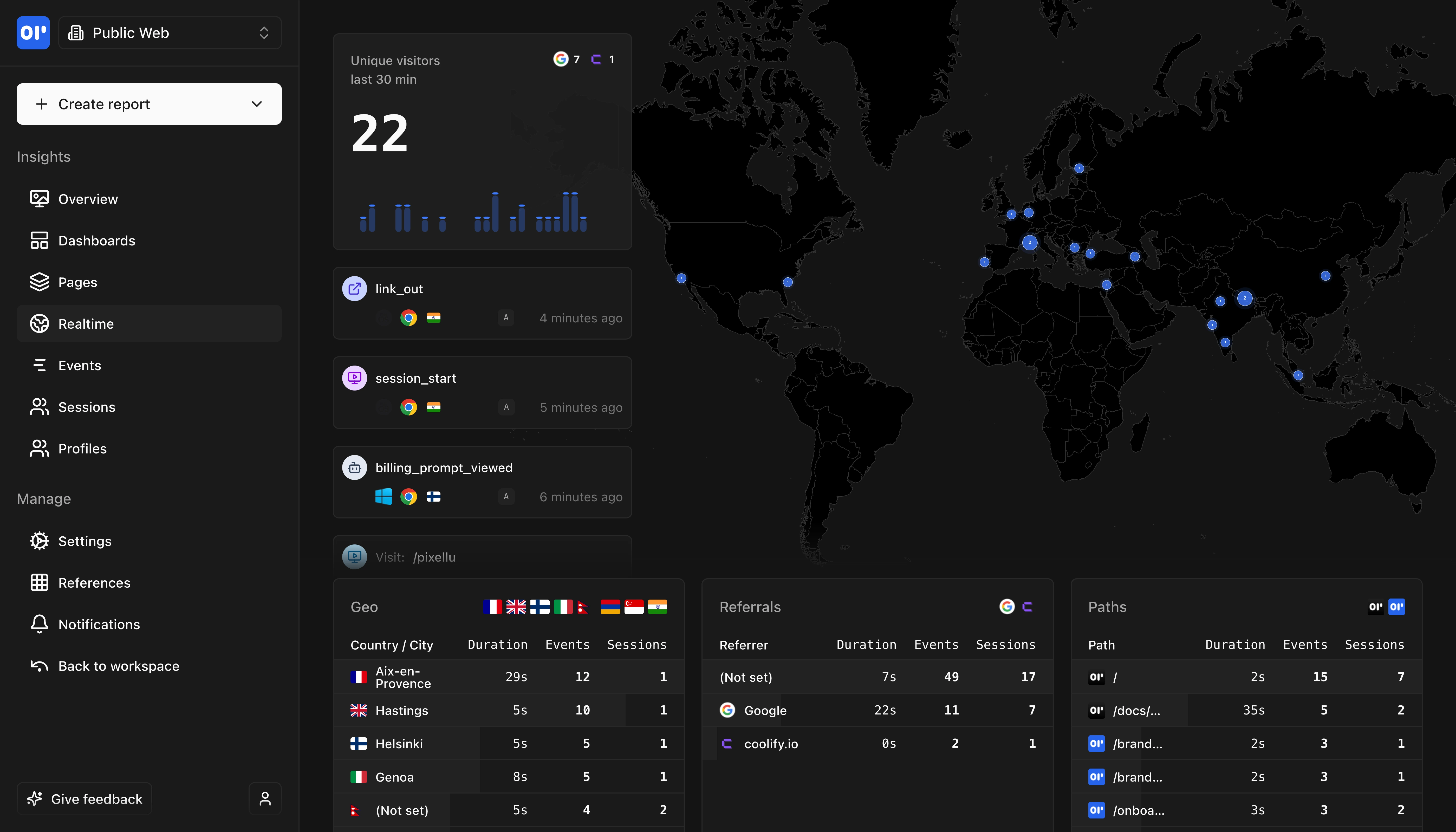
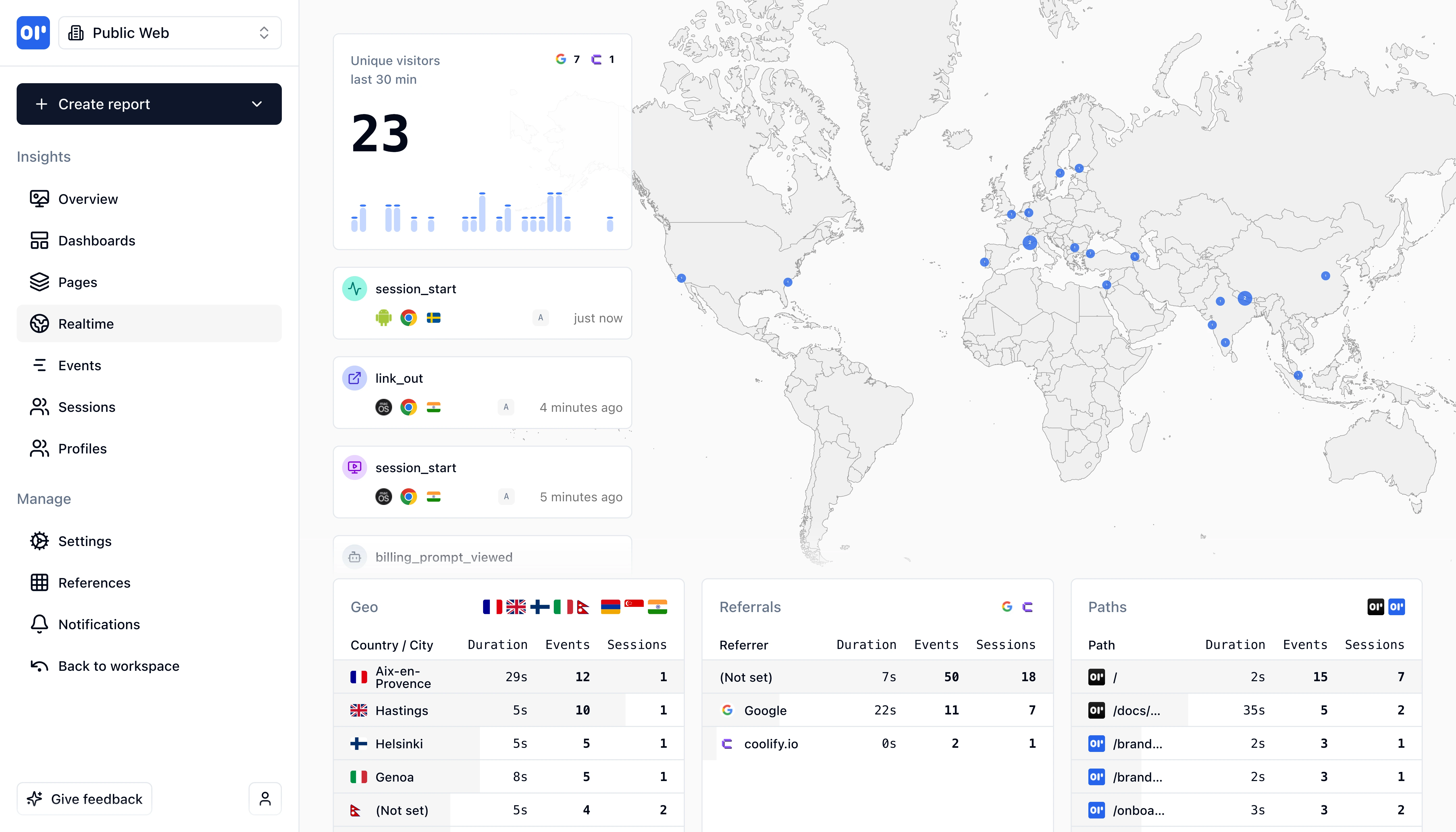
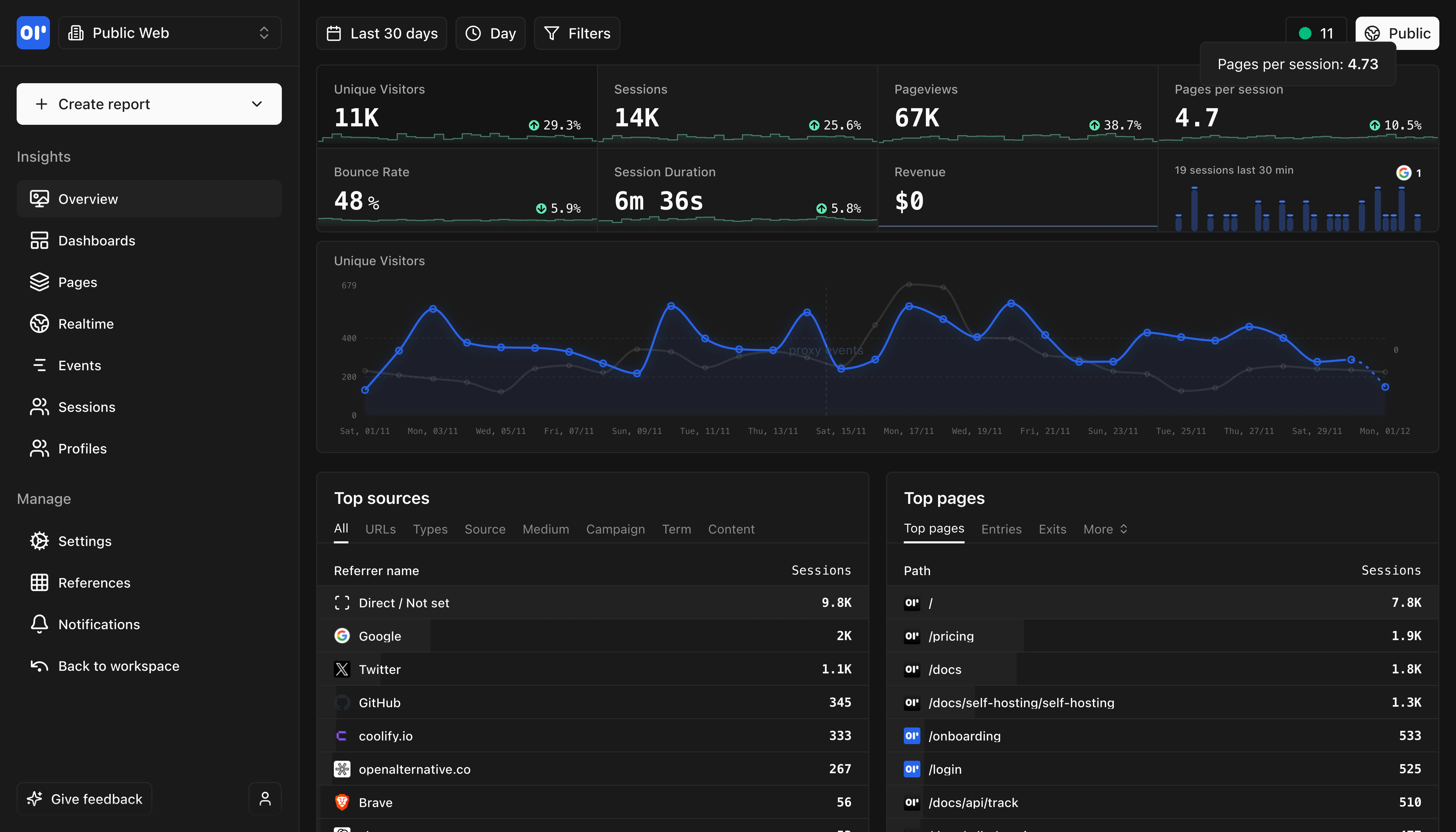
OpenPanel Dashboard Overview
This is our web analytics dashboard, its an out-of-the-box experience so you can start understanding your traffic and engagement right away.

Why consider OpenPanel over Microsoft Clarity?

Microsoft Clarity is a completely free behavioral analytics tool that offers unlimited session recordings, heatmaps, and insights powered by AI. The price — free forever with no limits — is hard to argue with, and it's become a popular complement to Google Analytics. But Clarity is designed for observing behavior, not measuring outcomes. There's no event tracking, no funnels, no retention analysis, and no cohort breakdowns.

OpenPanel fills the gap that Clarity leaves. While Clarity shows you recordings of individual sessions and aggregate heatmaps, OpenPanel gives you the structured analytics to understand patterns: which features drive retention, where users drop off in conversion flows, and how different cohorts of users behave over time. These are the insights that drive product decisions.

Self-hosting and data ownership are important distinctions. Clarity runs entirely on Microsoft's Azure cloud with no alternative, and your session recording data lives on their servers. OpenPanel can be self-hosted on your own infrastructure for complete data sovereignty, and its open-source AGPL-3.0 license means you can audit every line of code processing your users' data.

Many teams find that Clarity and OpenPanel work well together — Clarity for visual session recordings and OpenPanel for structured product analytics. But if you're choosing one tool to understand and improve your product, OpenPanel provides the actionable metrics that behavioral observation alone can't deliver.
OpenPanel vs Microsoft Clarity: Which is right for you?

Clarity focuses on behavioral analytics (session recordings, heatmaps). OpenPanel focuses on product analytics (events, retention, cohorts). Different tools for different needs.

Choose OpenPanel if...

1

SaaS products needing retention and cohort analysis

2

Teams requiring self-hosting for data sovereignty

3

Products needing user identification and profiles

Choose Microsoft Clarity if...

1

Teams needing session recordings and heatmaps (completely free)

2

Visual debugging of user frustration (rage clicks, dead clicks)

3

Organizations comfortable with Microsoft cloud hosting

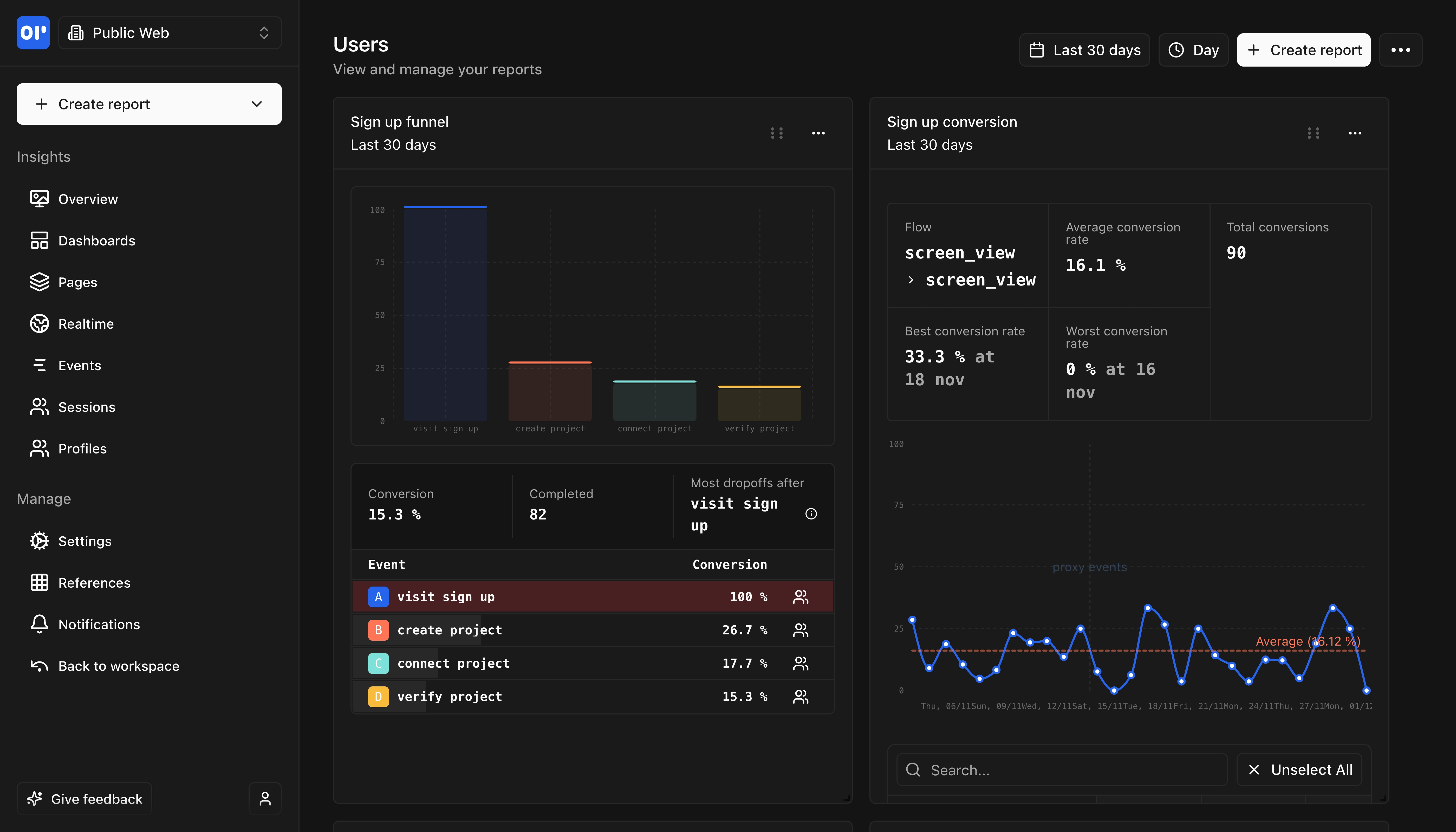
OpenPanel Dashboard
Comprehensive analytics dashboard with real-time insights and customizable views.

Key differences at a glance

Here's how OpenPanel and Microsoft Clarity compare on key factors.

FeatureOpenPanelMicrosoft Clarity
Analytics Focus
Product Analytics
Behavioral Analytics
Self-Hosting
Yes — Docker Compose, guided setup wizard
No - Cloud only
Session Recordings
Yes — Session replay built-in
Yes - Unlimited free recordings
Retention & Cohort Analysis
Yes - Built-in
Pricing
From $2.50/mo, or free self-hosted
100% Free forever
Session Recordings
OpenPanel has session replay built-in. Clarity offers 30-day retention by default (13 months if labeled); OpenPanel self-host has no retention cap.
Click Heatmaps
OpenPanel doesn't generate heatmaps. If heatmaps are critical, pair OpenPanel with Clarity (Clarity is free).
Scroll Heatmaps
Rage Click Detection
Clarity auto-detects frustration signals like rage clicks
Dead Click Detection
JavaScript Error Tracking
Custom Event Tracking
Clarity calls these Smart Events
Funnel Analysis
Clarity added funnels in 2024
Retention Analysis
Clarity focuses on session-level data, not retention over time
Cohort Analysis
User Profiles
Clarity has custom identifiers but not full user profiles
User Path Analysis
Clarity shows session journeys but not aggregate user paths
A/B Testing
Page Views & Visitors
Traffic Sources
Geographic Data
Device & Browser
Real-Time Dashboard
Clarity offers live session viewing
UTM Campaign Tracking
GDPR Compliant
Both require consent for full tracking
CCPA Compliant
Data Masking
Clarity auto-masks sensitive content in recordings
Self-Hostable
Clarity data stored on Microsoft Azure
Cookie-Free Option
Clarity uses first-party cookies for session tracking
Open Source
partial
Clarity tracking code is open source on GitHub
JavaScript SDK
React/Next.js
iOS SDK
Clarity iOS SDK launched July 2024
Android SDK
Flutter SDK
Clarity Flutter SDK launched June 2025; OpenPanel has a community-maintained Flutter SDK
React Native SDK
Google Analytics Integration
Clarity has native GA4 integration
REST API

Feature comparison

Clarity and OpenPanel serve different purposes - behavioral vs product analytics.

Session Recordings

Custom Event Tracking

Funnel Analysis

Retention Analysis

Cohort Analysis

User Profiles

User Path Analysis

A/B Testing

OpenPanel Real-time Analytics
Track events in real-time as they happen with instant updates and live monitoring.

Technical comparison

For developers evaluating analytics tools, here's the technical breakdown.

FeatureOpenPanelMicrosoft Clarity
SDK Size2.3 KB (gzipped)
Lightweight async script, mobile SDKs ~400-900 KB
Platforms
  • JavaScript/TypeScript
  • React
  • Next.js
  • Vue
  • React Native
  • Flutter
  • iOS
  • Android
  • Node.js
  • PHP
  • Python
  • Ruby
  • Rust
  • Java
  • JavaScript
  • React
  • Next.js
  • iOS
  • Android
  • Flutter
  • React Native
  • Cordova
  • Ionic
  • WordPress
  • Shopify
  • Wix
Open SourceYes - AGPL-3.0
Partial - Tracking code onlyClarity tracking code is open source on GitHub. Backend is proprietary.
Self HostingDocker Compose (ClickHouse, Postgres, Redis), guided setup wizard
Not available - Cloud only (Microsoft Azure)
DatabaseClickHouse
Microsoft Azure (proprietary)
Data RetentionUnlimited (self-hosted), configurable (cloud)
30 days recordings (13 months if labeled), 13 months heatmaps
LanguageTypeScript/Node.js
TypeScript (tracking code), proprietary backend

Pricing comparison

Microsoft Clarity is 100% free. OpenPanel offers transparent event-based pricing, with free self-hosting.

OpenPanel

Event-based, transparent

Transparent pricing from $2.50/month for 5,000 events, with a 30-day free trial.

All features included at every tier.

Self-host free with unlimited events.

Free tier:Self-hosting (unlimited events)
Free trial:30 days

Microsoft Clarity

100% Free forever

Unlimited sessions, unlimited heatmaps, up to 100,000 sessions per day, all features included.

Session recordings, heatmaps, insights, Copilot AI, mobile SDKs, GA integration - all free.

Microsoft offers it as a free tool to compete with Hotjar and drive Microsoft ecosystem adoption.

Free tier:Unlimited - no traffic limits

Migrating from Microsoft Clarity to OpenPanel

If you only need session replay, OpenPanel replaces Clarity directly. If you need heatmaps, run both — Clarity stays free for heatmaps; OpenPanel handles session replay, funnels, and retention. Most migrations land in under two hours.

Difficulty:easy
Estimated time:30 minutes to 2 hours
1

Decide: replace or pair?

If your use case is session replay + product analytics (events, funnels, retention), OpenPanel replaces Clarity entirely. If you rely on Clarity's click/scroll heatmaps or rage-click detection, keep Clarity for heatmaps (it stays free) and use OpenPanel for everything else. Most teams pick replace — heatmaps rarely change product decisions on their own.

2

Install the OpenPanel SDK (replaces clarity.js)

Remove the Clarity tracking snippet and add @openpanel/web (or your framework SDK). The web SDK is 2.3 KB gzipped vs Clarity's ~10 KB. SDKs available: React, Next.js, Vue, Astro, Remix, React Native, Flutter, iOS (Swift), Android (Kotlin), Node.js, PHP, Python, Ruby, Rust, Java.

3

Map Clarity Smart Events to OpenPanel events

Clarity Smart Events fire on click/scroll patterns. In OpenPanel call op.track('event_name', { property: value }) at the same trigger points. Clarity's auto-captured events (rage clicks, dead clicks, quick backs) have no direct equivalent — if you depended on them, log them manually via your existing click handlers. Most teams find they were never acting on auto-captured events anyway.

4

Add user identification (Clarity's biggest gap)

Clarity has custom IDs but no real user profiles. Call op.identify({ profileId, email, plan, ... }) on login. Now every event, session replay, and funnel ties back to a real user — you can pull up any single user's full timeline, which Clarity can't do.

5

Enable session replay

Session replay is not enabled by default. Add sessionReplay: { enabled: true } to your SDK init (script tag or @openpanel/web). The replay module loads asynchronously on the next page load so your main tracking bundle stays lean. Unlimited sessions can be recorded; replays are retained for 30 days.

6

Build the funnels and retention reports Clarity doesn't have

Clarity is session-scoped — no cross-session retention or cohort analysis. Build your first funnel (signup → activation → upgrade) in the dashboard. Add a retention chart showing how week-1 actions correlate with week-8 retention. These are the reports that drive product decisions and Clarity can't produce.

7

Run parallel for 1 week, then cut

Keep Clarity running alongside OpenPanel for a week to validate event volume parity. Once OpenPanel funnels match what you expect from Clarity's session data (within ~5%), remove the Clarity snippet. Most teams keep Clarity around indefinitely just for heatmaps since it costs nothing.

SDK Compatibility

Clarity uses clarity('event', name, value) for Smart Events; OpenPanel uses op.track(name, properties). Mapping: clarity('event', 'signup') → op.track('signup'). clarity('set', 'planType', 'pro') → op.identify({ planType: 'pro' }). clarity('identify', userId) → op.identify({ profileId: userId }).

Historical Data Import

Clarity doesn't export historical session data. You start fresh in OpenPanel. If you need to preserve Clarity recordings, keep Clarity running on a separate snippet for as long as you want to retain the archive (30-day default retention applies).

Where OpenPanel is a better fit than Microsoft Clarity

Choose OpenPanel when you need product analytics beyond behavioral observation.

SaaS Products Needing Retention Analytics

Clarity shows individual session recordings but doesn't track retention over time. If you need to understand how users return to your product week over week, OpenPanel's retention analysis provides these insights.

Teams Requiring Self-Hosting

Clarity is cloud-only with data stored on Microsoft Azure. If data sovereignty, compliance requirements, or privacy policies require self-hosting, OpenPanel can be deployed on your own infrastructure.

Products Needing User Identification

Clarity has custom identifiers but doesn't build comprehensive user profiles. OpenPanel lets you track individual users across sessions and analyze their complete journey with your product.

Teams Wanting A/B Testing

Clarity focuses on observation (watching what users do) not experimentation. OpenPanel includes A/B testing capabilities to measure the impact of changes.

Combining Both Tools

Since Clarity is free, many teams use both: Clarity for visual session recordings and heatmaps, OpenPanel for product analytics, funnels, retention, and cohorts. They complement each other well.

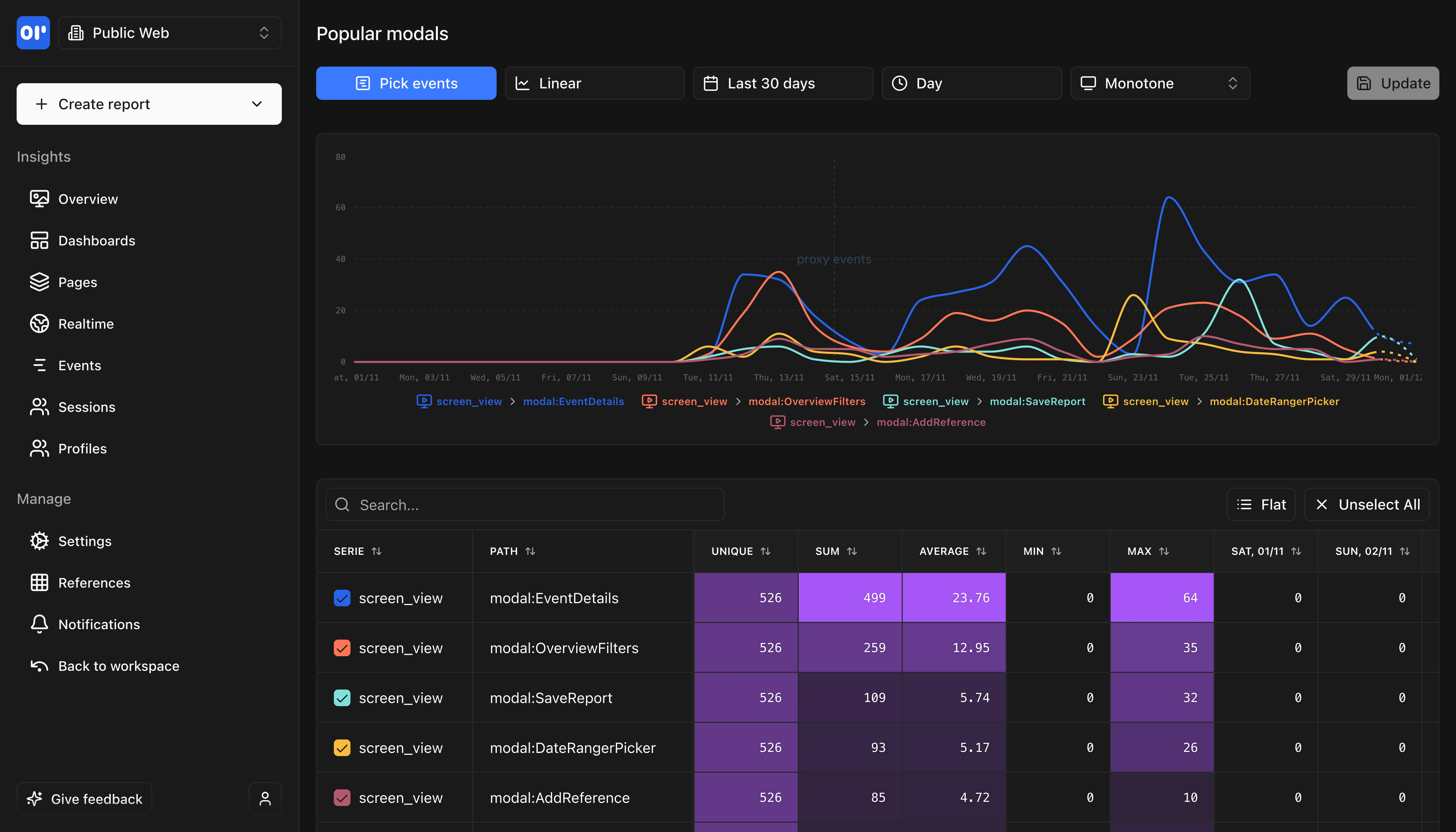
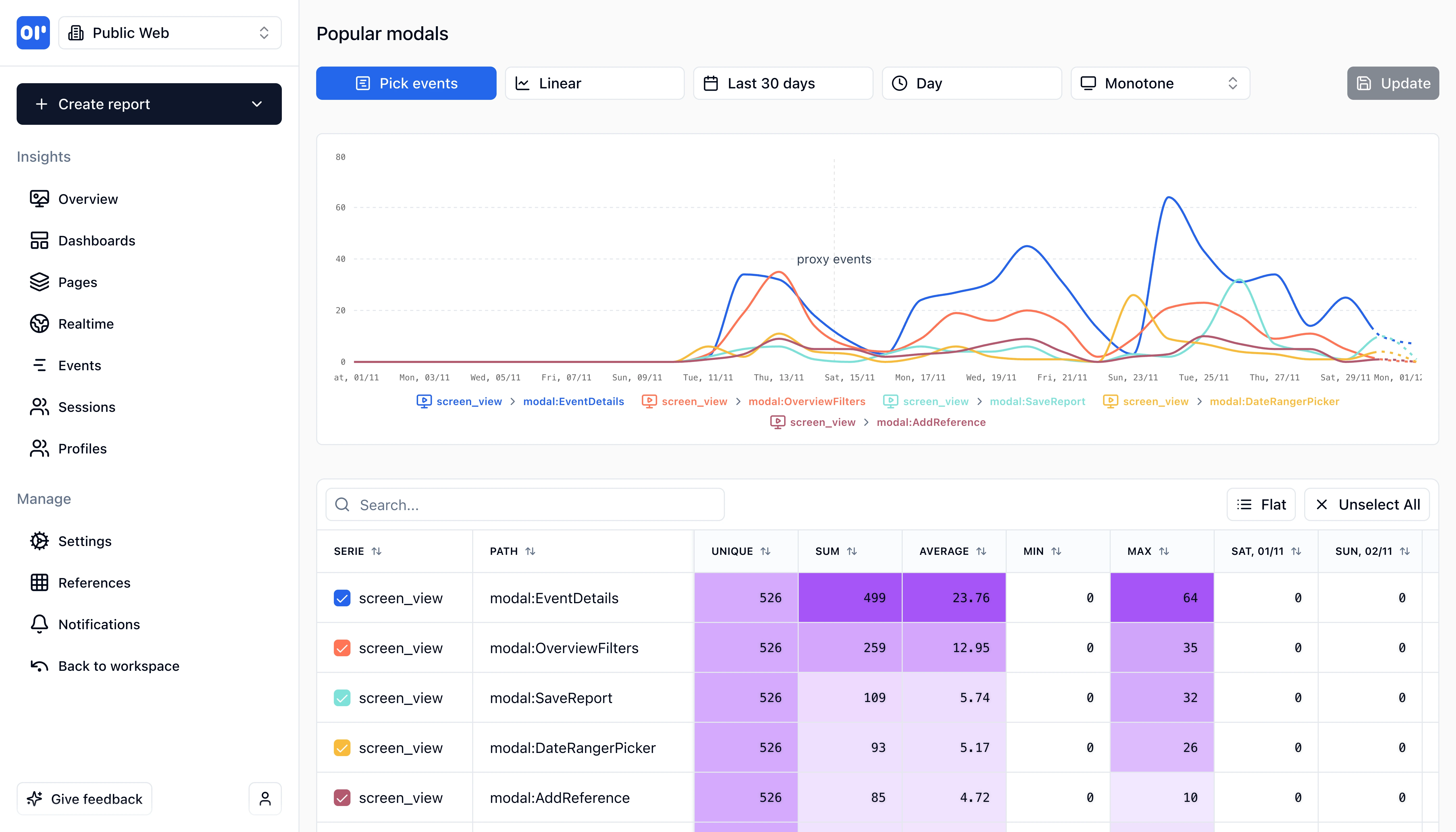
OpenPanel Reports
Generate detailed reports and insights with customizable metrics and visualizations.

Frequently asked questions

Common questions about Microsoft Clarity and OpenPanel.

Related resources

Explore more comparisons and guides to help you choose the right analytics tool.

Ready to make the switch?

Test OpenPanel free for 30 days, you'll not be charged anything unless you upgrade to a paid plan.

Start with OpenPanel