

What happened in the session
Pages visited, events fired, time spent. Full structured session data, plus optional session replay when you need to go deeper.
- Privacy-first by design
- Entry-to-exit visibility
- Sessions linked to events
- Optional session replay
What is session tracking?
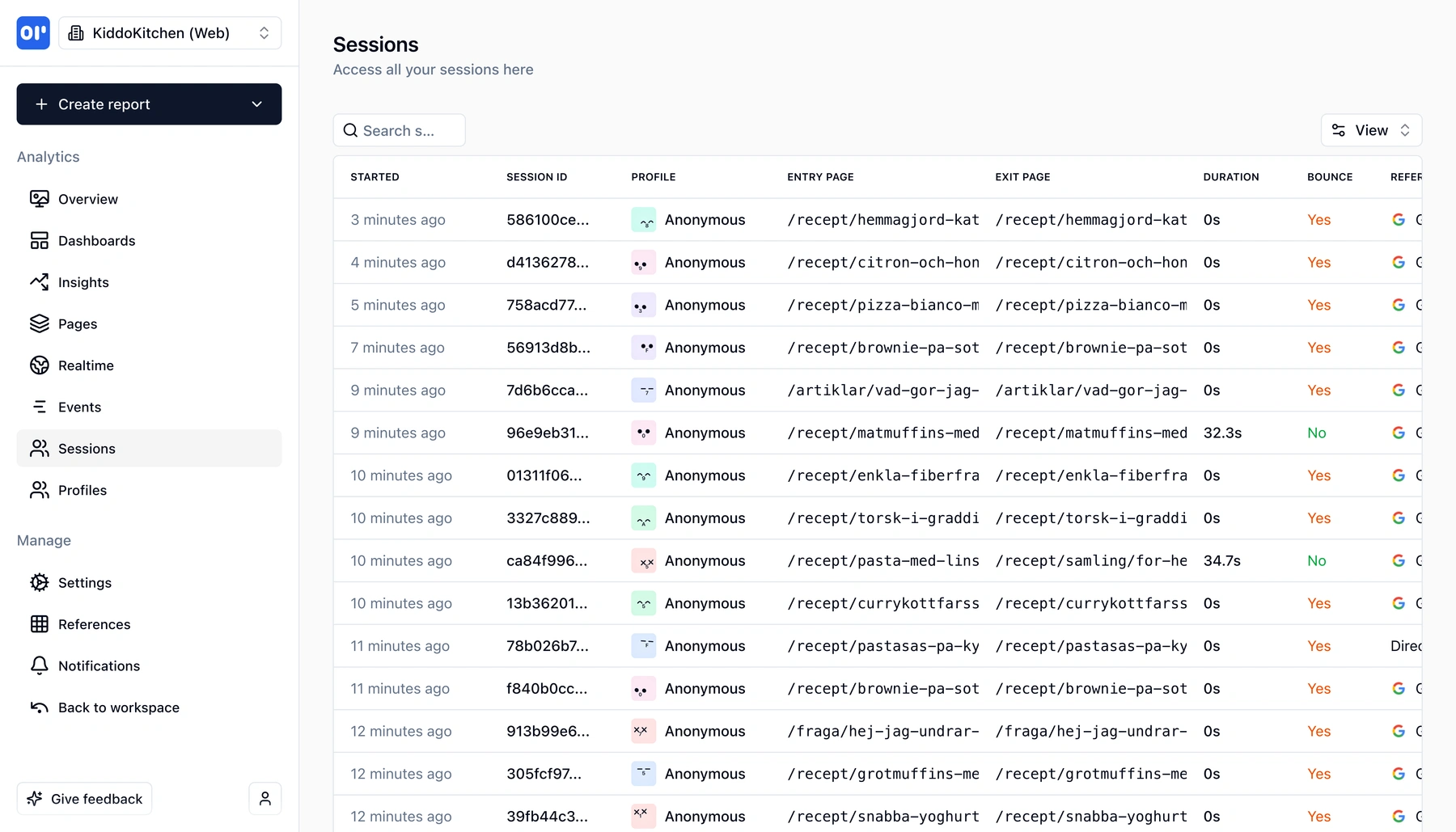
A session is the window of activity between a user arriving on your site and leaving. It starts with an entry page, includes every page view and event along the way, and ends when the user goes idle or closes the tab.
Most analytics tools either give you too little (aggregated page-view counts with no sense of flow) or too much (full session recordings that can be slow to review). OpenPanel gives you both options:
- Session tracking (always on) — a structured timeline of what happened in each session: pages visited, events fired, duration, referrer, and device context
- Session replay (opt-in) — a playable recording of the session built on rrweb, so you can see exactly what the user clicked and where they got confused
For every session, OpenPanel captures:
- Entry page and exit page - where the user started and where they left
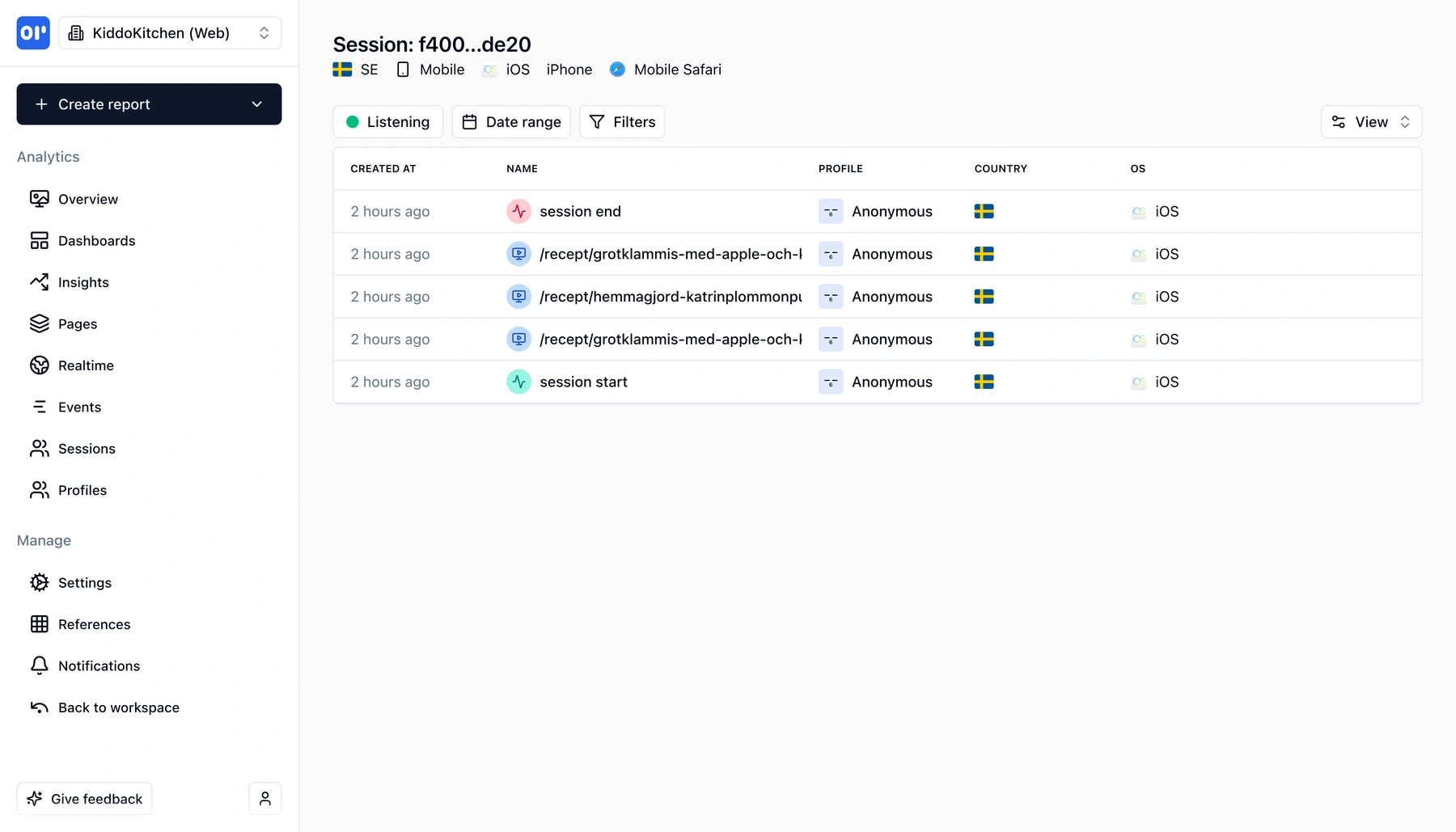
- Pages visited in order - the path through your site or app
- Events fired - signups, clicks, feature usage, or any custom event
- Session duration - how long the session lasted
- Referrer and UTM parameters - how the user got there
- Device, browser, and location - context without fingerprinting
This means you can answer questions like:
- What pages do users visit before signing up?
- Do users from organic search behave differently than paid traffic?
- How long are sessions for users who convert vs. those who don't?
Session replay is opt-in and off by default. When disabled, the replay script is never loaded and adds no overhead. When enabled, it loads asynchronously as a separate script so your main analytics bundle stays lean.
Sessions in OpenPanel connect directly to events and user profiles. Every event belongs to a session, and every session belongs to a user. This means funnels, retention, and user timelines all have session context built in.
What you get with session tracking
Structured session data that answers real questions—with optional replay when you need to see the full picture.
Entry and exit pages
See where users land and where they leave. Identify your strongest entry points and the pages that lose visitors.
Page flow per session
View the ordered sequence of pages a user visited in a session. Understand navigation patterns at a glance.
Events within a session
Every event (signup, click, purchase) is tied to a session. See exactly what a user did and in what order.
Session duration and engagement
Measure how long sessions last and how many pages or events they include. Spot high-engagement and bounce sessions.
Referrer and UTM attribution
Know how users arrived-organic search, paid campaign, direct link-and compare session quality across sources.
Session replay (opt-in)
Enable session replay to record and play back real user sessions. Privacy controls built in—inputs masked by default. Loads async so it never bloats your bundle.
How session tracking works
Sessions are created automatically from the events you already send.
Events create sessions
When a user triggers their first event (page view, click, etc.), OpenPanel starts a session. No extra tracking code needed-sessions are derived from your events.
Activity is grouped automatically
Subsequent events from the same user are grouped into the active session. If the user goes idle (30 minutes by default), the session ends and a new one begins on the next interaction.
Sessions connect to everything
Each session links to the user profile, the events fired, and the pages visited. Enable session replay to also record a playable recording of the session.
Who uses session tracking
Teams that need to understand user journeys, from structured data to full session replay.
Product teams
Understand how users navigate your product. See the page flow and events in a session, then open a replay to see exactly where users got stuck.
Support and success teams
When a user reports an issue, pull up their recent sessions to see what pages they visited and what events they triggered. Open the replay for the full picture.
Privacy-conscious teams
Session tracking works without cookies or recordings. Session replay is opt-in, with inputs masked by default and granular controls to block or mask any sensitive element.
Related features
Explore more capabilities that work together with this feature.
Session replay
Watch real user sessions. See clicks, scrolls, and form interactions played back in the dashboard.
Event tracking
Events are the building blocks of sessions. Track user actions that feed into session timelines.
Funnels
Combine session data with funnel analysis to see where users drop off in multi-step flows.
Frequently asked questions
Common questions about session tracking with OpenPanel.
Ready to get started?
Track events in minutes. Free 30-day trial, no credit card required.
Start tracking sessions